NetBox Visual Explorer: See Your Infrastructure in One Place

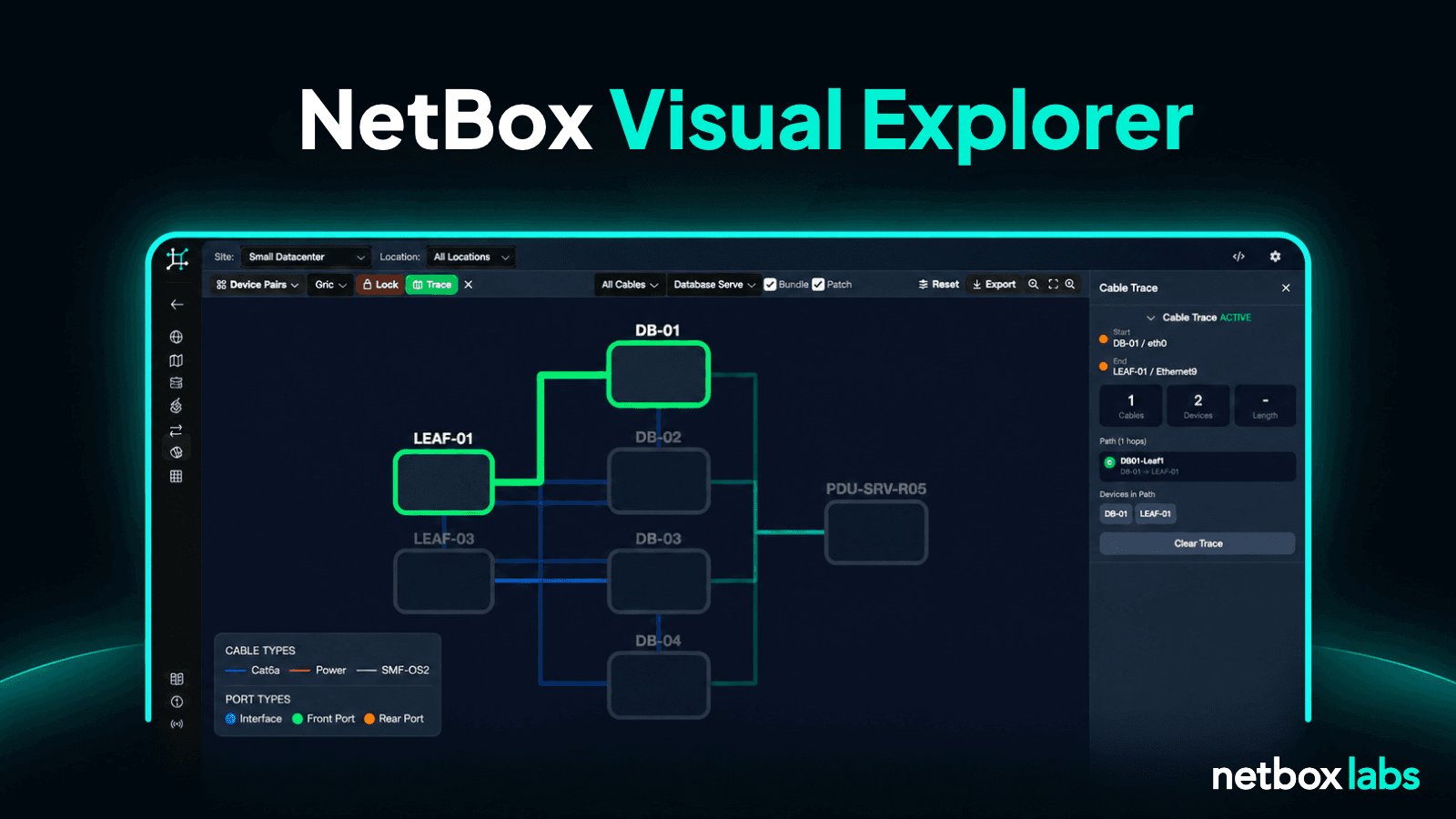
Linked views of the data you already document show how your sites, racks, cables, and power connect.
Your system of record already has all the information, but finding what’s connected to a switch or which racks depend on a power panel still means paging through tables and manually tracing one connection at a time. It’s a time-consuming process that leaves lots of room for error.
NetBox Visual Explorer, generally available today as part of the NetBox Labs platform, lays out those relationships in nine linked views, from a WAN map of your sites down to a single rack. You don’t have to model anything twice, and every object is one click from its NetBox record.

Nine linked views deliver unified network and datacenter visualization
All nine views are linked, so you can start at a WAN map, drill into a site’s floorplan, open a rack, and follow its power back to the panel without leaving NetBox Visual Explorer. Every view is scoped by site, and optionally by location or rack, from a selector at the top of the tool.

Views include:
- WAN Map: See your sites and circuits on a globe and filter by provider, circuit type, status, or tenant.
- Data center floorplan: Import the room’s architectural drawing as a PDF or image, calibrate it to scale, and place racks over it.
- Rack Elevations: Visualize the front and rear of a rack side by side, aligned by rack unit, with device images, PDUs, and free space.
- Power Chain: Trace power from panel through feed to PDU, outlet, and device, and highlight any device fed from a single feed.
- Cable Topology: Pick two devices, trace the connection, and select a path to follow it end to end through patch panels.
- L2/L3 Dependency: View the logical side of the same network, including VLANs, interfaces, VRFs, and IP assignments across devices, layers 1 through 3.
- BGP Topology: Draw sessions and AS relationships from the NetBox BGP plugin, with external ASes drawn apart from your own devices.
- IPAM Map and Prefix Heatmap: Drill into any prefix and filter by VRF and address family, and show how full each prefix is.

How NetBox Visual Explorer works with your system of record
The new feature runs in the NetBox Labs Console and reads your system of record directly.
The new feature:
- Shows your documented design. Views reflect what the record says you have and how it is organized. That’s the design your team plans and builds against.
- Respects your permissions. Each user signs in to the console and is linked to their NetBox user. NetBox Visual Explorer reads your data as that user, so objects your permissions exclude never appear in a view.
- Supports editing in two views and operates as read-only in the others. The Floorplan editor saves rack placements and image calibration, and Rack Elevations edit mode saves device positions. Every other view only reads. Spot a problem anywhere else, click the object, and fix it in its NetBox record.
- Handles large sites. NetBox Visual Explorer has been tested at thousands of racks and tens of thousands of devices.
Views you can share, embed, and export
Every view keeps its scope, filters, and display options in the URL, so a link opens exactly what you were looking at. The “Embed this view” option generates an iframe snippet for wikis, runbooks, and dashboards, with interactivity ranging from a static picture to full pan, zoom, and selection. You can export any view as an image.
An empty view usually means its objects are not modeled for that site yet. For example, a power chain that stops partway stops where the documented cabling stops. Custom fields appear in each object’s details panel. Data loads when a view opens and picks up changes within minutes. You can use the Refresh Data function to see an edit right away.
Get to know NetBox Visual Explorer
The new feature runs on NetBox Cloud for instances running version 4.5 or later. The views included depend on your plan, so talk to us about what fits your team.
Watch this webinar clip to see it in action, contact us for a demo on your own data, or study the documentation to explore more technical details.
