Cisco
Pull inventory from your Cisco controllers into the NetBox Labs platform, keep that data current as the network changes, and use the same data to provision and automate Cisco devices. Listed on the Cisco Networking App Marketplace.

Four Cisco Controllers
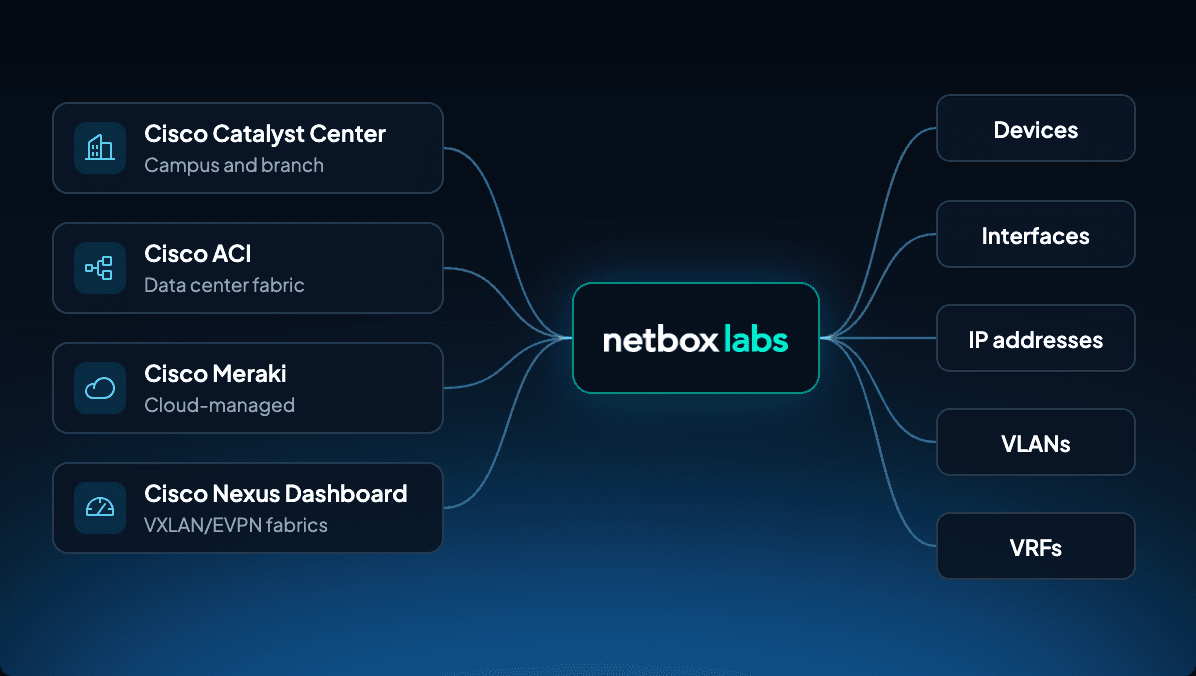
Catalyst Center, ACI, Meraki, and Nexus Dashboard, each connected through NetBox Discovery.

Review Before Anything Is Written
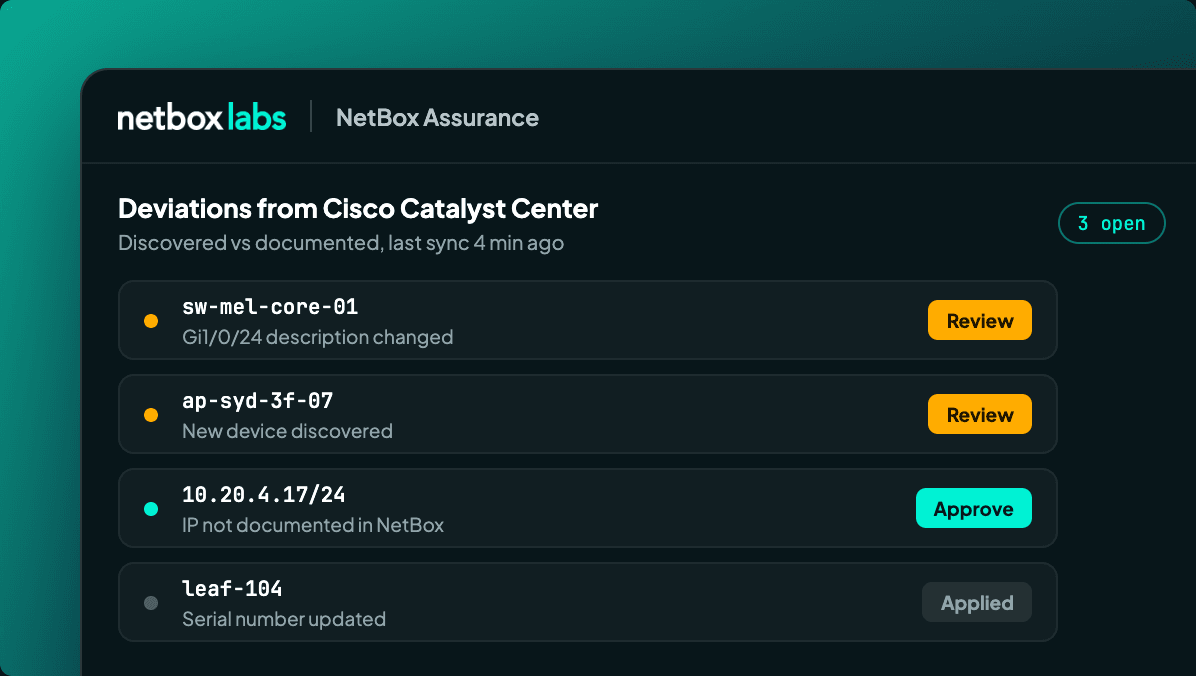
Discovered changes are staged in NetBox Assurance so your team approves what enters the system of record.

Built for Day 0 and Beyond
The Cisco data in NetBox becomes the intended state that provisioning and automation workflows run from.
Integrations Across the Cisco Portfolio
Campus, branch, data center fabric, and cloud-managed networks each run on a different Cisco controller. The NetBox Labs platform unifies all four by mapping their data into a single model, so devices, interfaces, IPs, VLANs, and VRFs from every part of the network sit side by side instead of in separate consoles.

Cisco Catalyst Center
Syncs devices, interfaces, IP and MAC addresses, and sites. Supports Catalyst Center 2.3.x and later.

Cisco ACI
Syncs APIC controllers, switches, VRFs, VLANs, and IP addresses, with tenant and EPG context. Supports APIC 5.x and later.

Cisco Meraki
Syncs networks, devices, interfaces, IP addresses, VLANs, and wireless networks through the Meraki Dashboard API.

Cisco Nexus Dashboard
Maps each VXLAN/EVPN fabric to a NetBox site with its switches, VRFs, and overlay networks. Supports Nexus Dashboard 4.x.
Keep NetBox Accurate as Your Cisco Network Changes
When something changes in your Cisco environment, NetBox Assurance compares what each controller reports against what’s documented in NetBox and flags any drift. Your team can review each difference and apply the right updates, so gaps in your records get caught early without manual data entry.

Steven Carter
Principal Solutions Engineer at Cisco
“The NetBox integration for Meraki, with its discovery and assurance features, is crucial for automation because it helps find and remediate deviations between your source of truth and your network.”
From System of Record to Provisioned Device
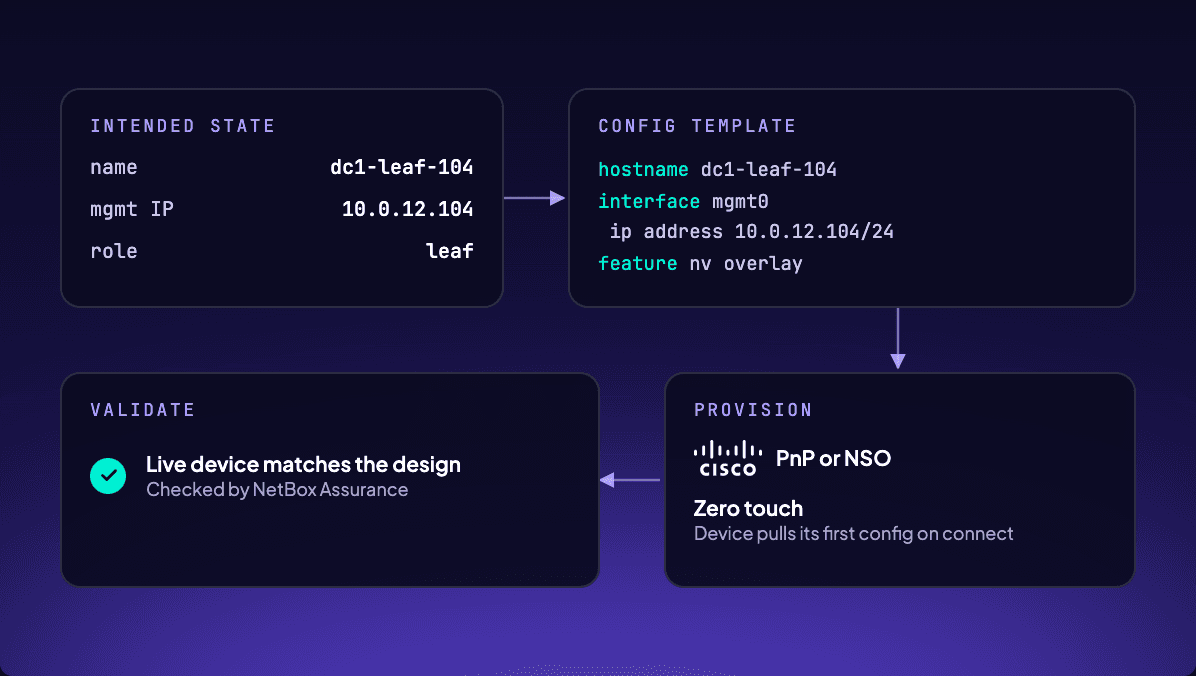
The NetBox Labs platform holds the intended design for your network, down to each device’s name, management IP, and configuration. Teams connect that data to Cisco provisioning tools using NetBox APIs and config templates, so new devices come online configured to match the design. The resources below show how teams have built these workflows.

Zero Touch Provisioning with Cisco PnP
New Cisco devices pull their configuration from NetBox through Cisco PnP when they first connect, so no one has to configure them by hand on site.

Zero Touch Provisioning with Cisco NSO
Cisco NSO can use NetBox as the data source for onboarding new devices, including IPv6 zero touch provisioning, so their first configuration reflects what the network team designed.

Config Generation
Config templates in NetBox turn device data into ready-to-deploy Cisco configurations that teams push through the Ansible NetBox inventory plugin or their existing automation.

Closed-Loop Validation
Once a new device is live, the Cisco integration reports the device back to NetBox. NetBox Assurance flags anything that differs from the plan.