Known Issues
This document lists known issues in the NetBox CMDB Integration application along with workarounds and resolution plans.
Version Information
- Application Version: 1.4.0
- ServiceNow Compatibility: Certified for Yokohama and Zurich versions.
- Last Updated: January 2026
Version 1.4.0
Issue 1: Update Set Preview or Commit have collisions or warnings
Severity: Low
Component: Update Set Installation
Description:
During Update Set preview or commit, ServiceNow warns that some collisions are present and must be resolved before commit, or that some objects will be deleted when committing.
Impact:
This warning appears during the update set preview or commit phase but does not affect functionality.
Workaround:
Accept all the remote updates, and give consent to any warnings of deletions when prompted before commit. The application will function correctly after installation is complete.
Status: Known limitation - No fix planned (cosmetic issue only)
Issue 2: Guided Setup Blank Page After Pre-Installation Checklist
Severity: Medium
Component: Guided Setup
Description:
The NetBox Guided Setup will not start properly, displaying a blank page after the pre-installation checklist.
Impact:
Users cannot proceed with the guided setup wizard after the initial checklist screen.
Workaround:
To fix this issue, follow the procedure below:
-
In Application Manager, upgrade the Guided Setup and Playbook Experience components to their latest versions
-
Switch to the NetBox CMDB Integration application scope
-
Open the NetBox CMDB Integration Guided Setup in edit mode using Guided Setup Builder
-
Continue and select the Diagram view
-
Locate the playbook trigger on the left and click on it
- In Yokohama and Zurich, it is labeled Start
-
Modify the record as such:
-
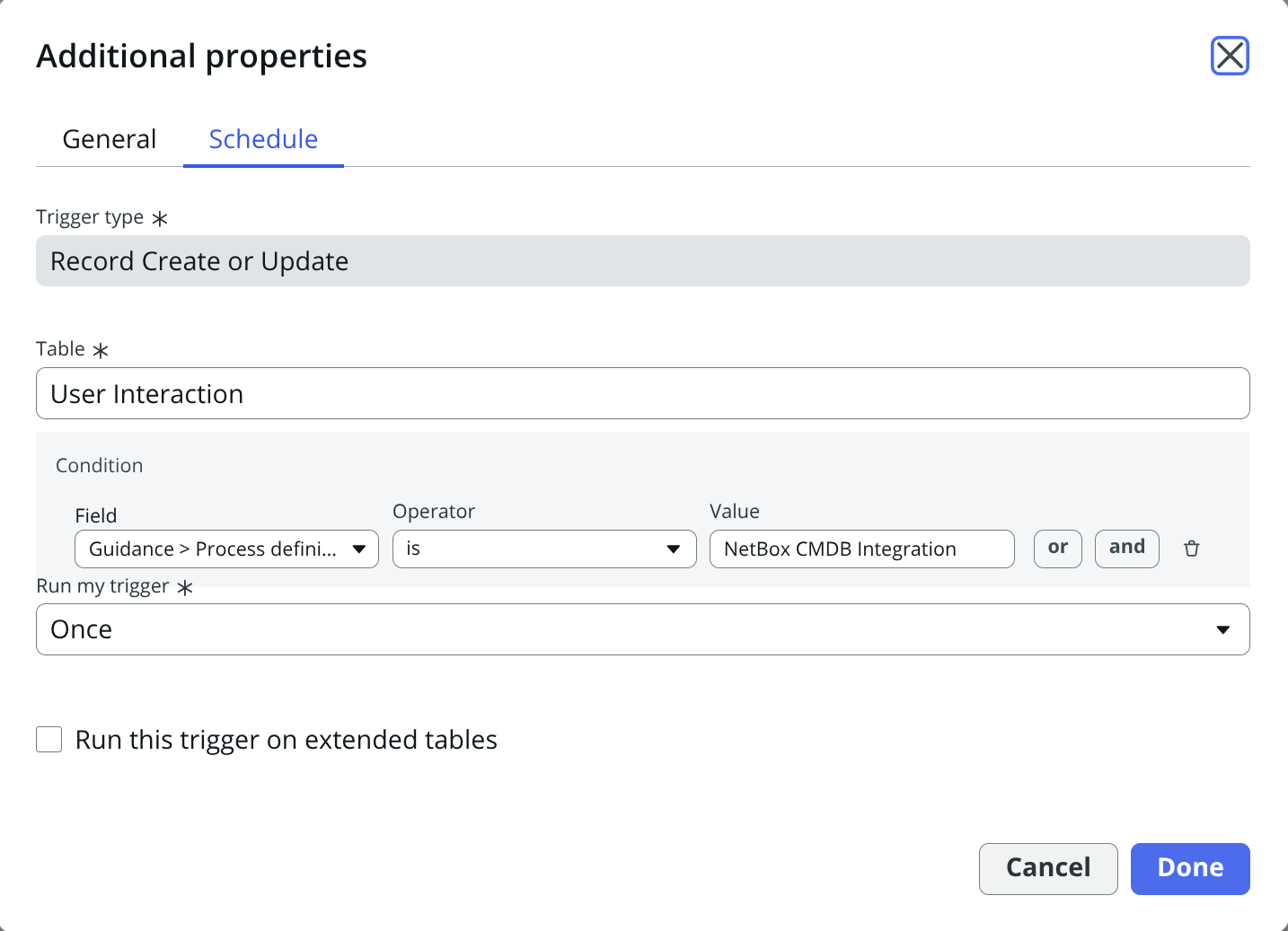
In Yokohama:
- fill the form as pictured
-
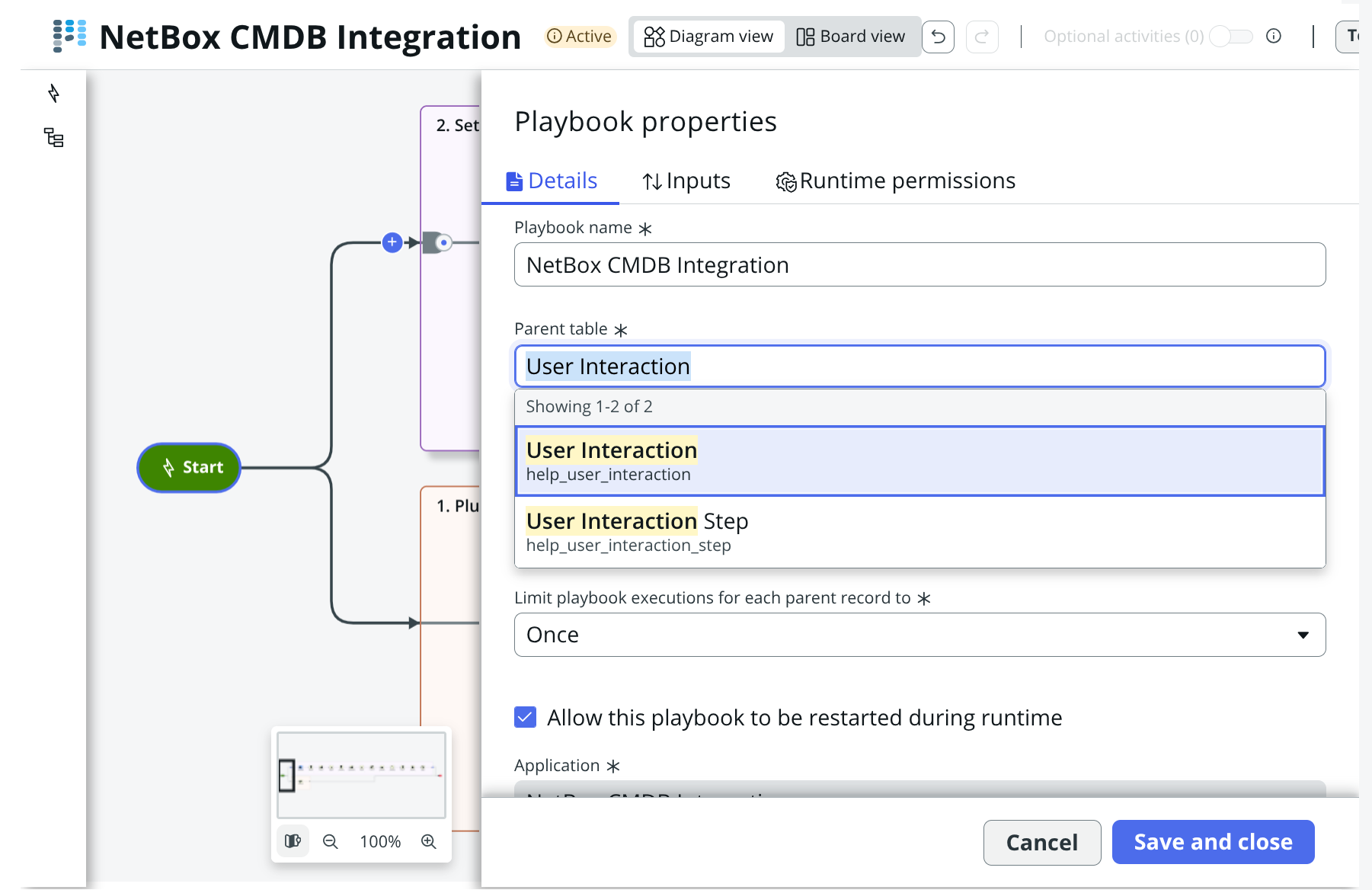
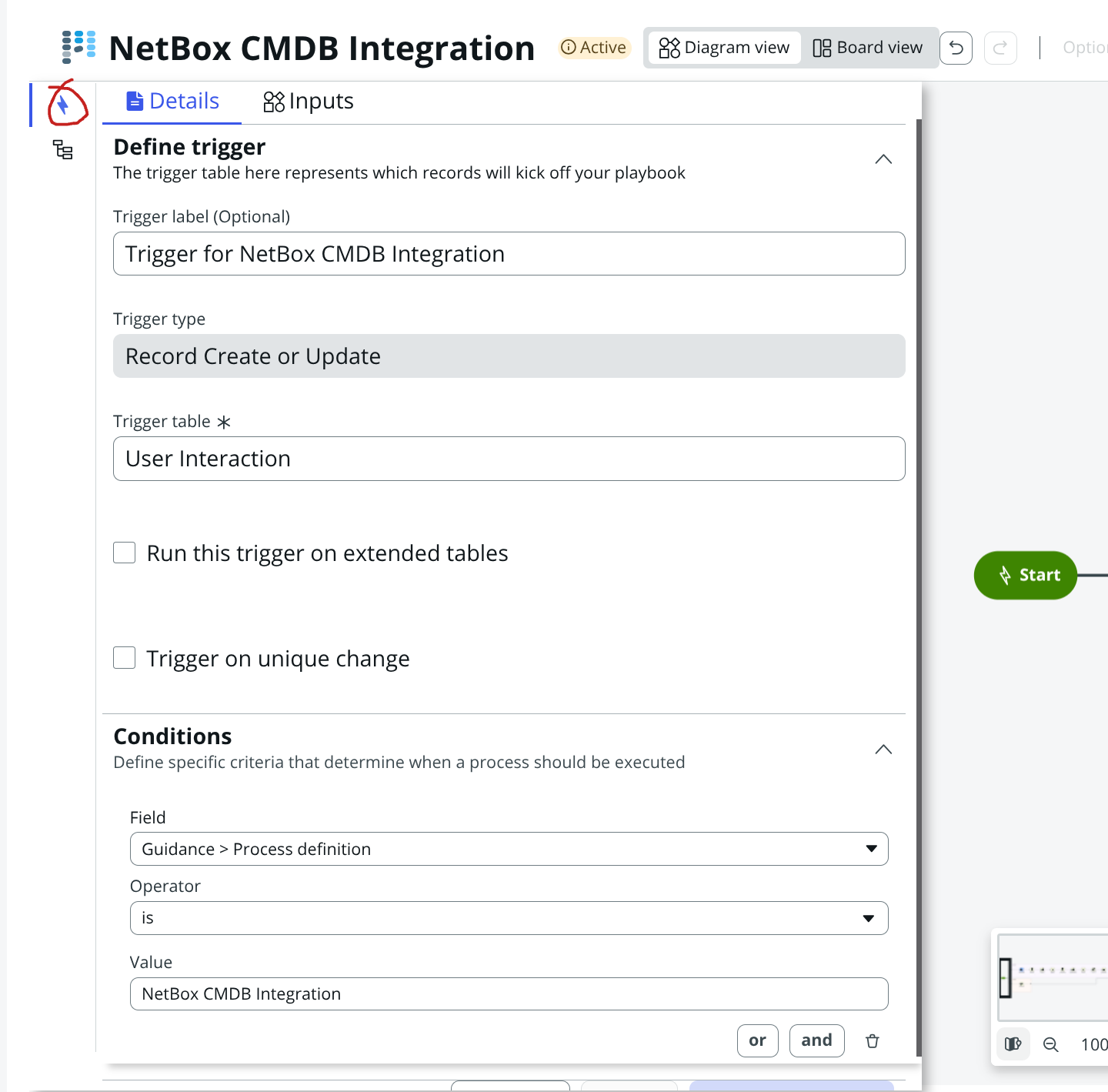
In Zurich, follow these two steps:
- Set the Parent table to User Interaction (help_user_interaction), as pictured
- Click on the trigger icon and fill the form as pictured
-
-
Save and close the modified records
-
Activate, then Finalize the playbook
-
Navigate to help_user_interaction.list
- Delete any records refering to NetBox CMDB Integration
-
Switch back to Global scope
-
Start The NetBox Guided setup again from All > NetBox > Configuration > Guided setup
Status: Under investigation
Reporting Issues
If you encounter any issues not listed in this document:
- Check the FAQ: Review the FAQ and Troubleshooting guide for common problems
- Check Logs: Review NetBox Logs in ServiceNow under All > NetBox > Maintenance > NetBox Logs
- Contact Support: Reach out to NetBox Labs support with:
- Application version
- ServiceNow version
- Detailed description of the issue
- Steps to reproduce
- Relevant log entries
Previously Resolved Issues
Issues resolved in previous versions are documented in the Release Notes.