See Your Infrastructure: Introducing NetBox Visual Explorer
If you manage infrastructure at any meaningful scale, you know the drill. You open NetBox, you pull up a rack list, you scan rows of data – site, location, rack name, tenant, status. You’re looking at your datacenter, technically. But you’re not seeing it.
Infrastructure teams spend a remarkable amount of cognitive effort translating tables into spatial understanding. Where is this rack relative to the power panel? What’s actually connected to what on this switch? Which subnets are running out of space? The data is all there in NetBox. But the mental model you have to build from rows and columns – that’s entirely on you.
This works when you’re managing a few hundred devices across a couple of sites. It starts to break when you’re planning an AI datacenter buildout with thousands of racks, or when you need to trace a cable path across a dense leaf-spine fabric, or when someone asks you to show the new VP of infrastructure where things actually stand. Tables don’t tell that story well.
What Visual Explorer Is
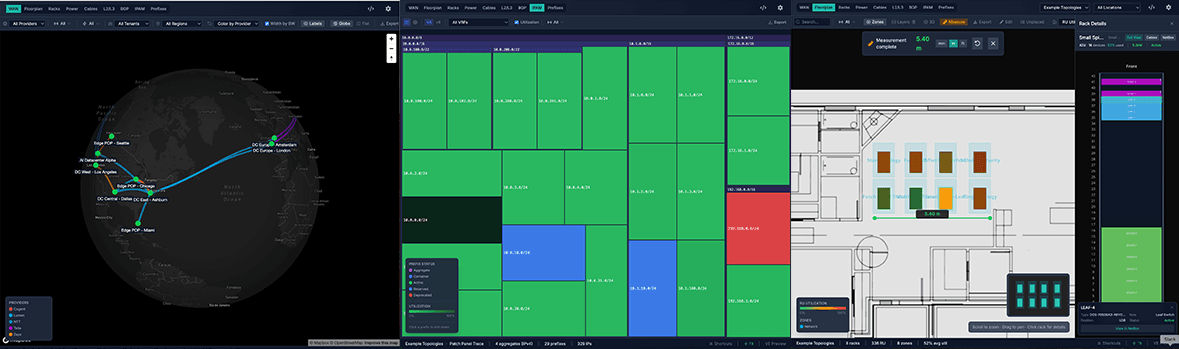
Today we’re announcing NetBox Visual Explorer – a set of interactive visualizations that sit atop your existing NetBox data to let NetBox Labs customers actually see their infrastructure. Floorplans, rack elevations, cable topology graphs, IP address utilization maps, power distribution chains, WAN connectivity. All driven by the data already in your NetBox instance. No separate data entry, no duplicate source of truth. And we’ve tested it against environments with thousands of racks and tens of thousands of devices – these are fast, interactive tools built for the scale of real infrastructure, not demo environments.
What You Can Do With It
Your Infrastructure, Spatially
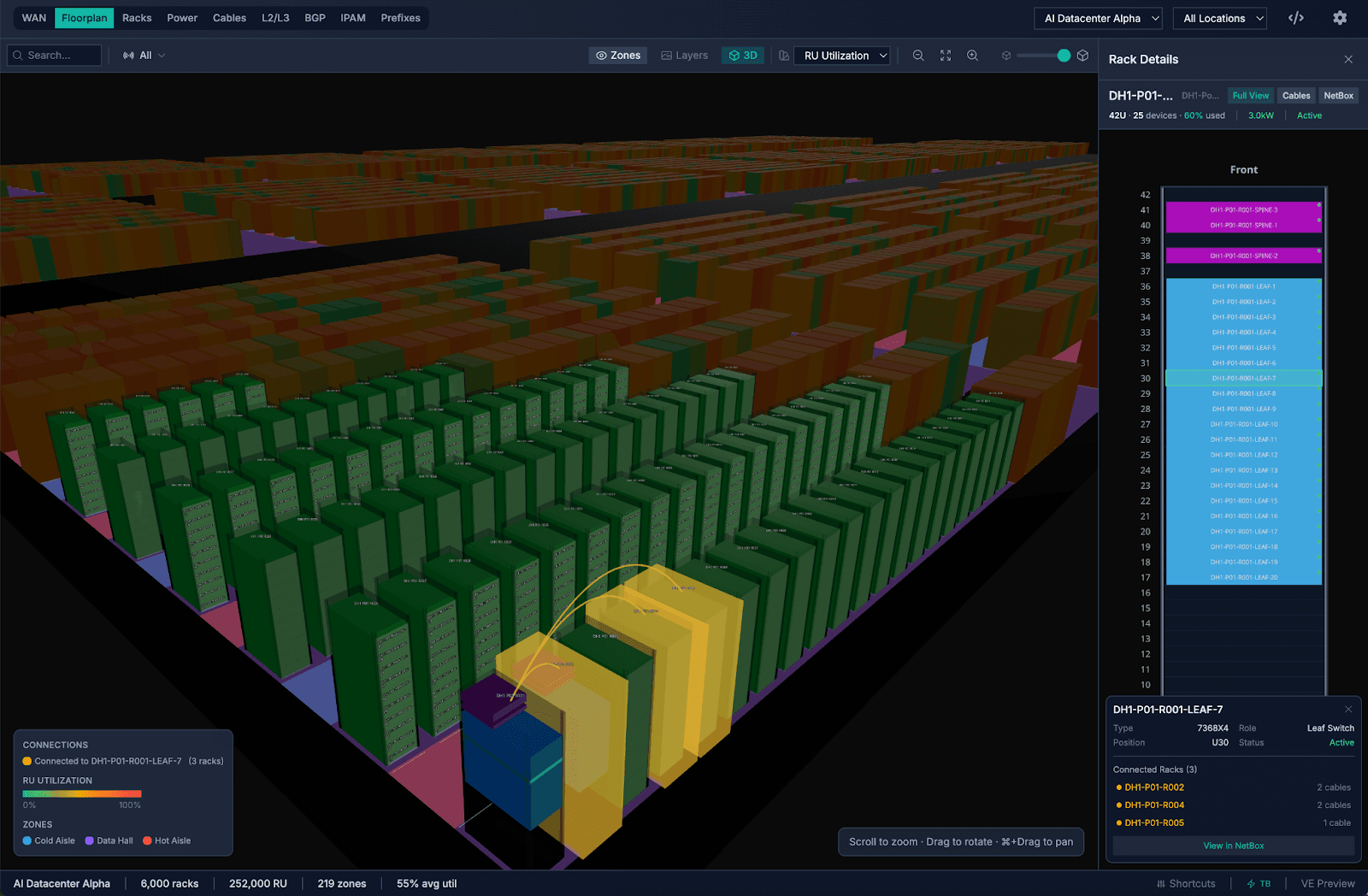
The floorplan views let you see your datacenter layout in 2D and 3D. Import your actual floorplans – PDFs, DXF files, images – and Visual Explorer calibrates them to scale. Place racks, define zones for hot and cold aisles, overlay metrics like power utilization or device density. Navigate large facilities with a minimap. Measure distances between racks. It’s the spatial context that’s been missing from infrastructure planning.
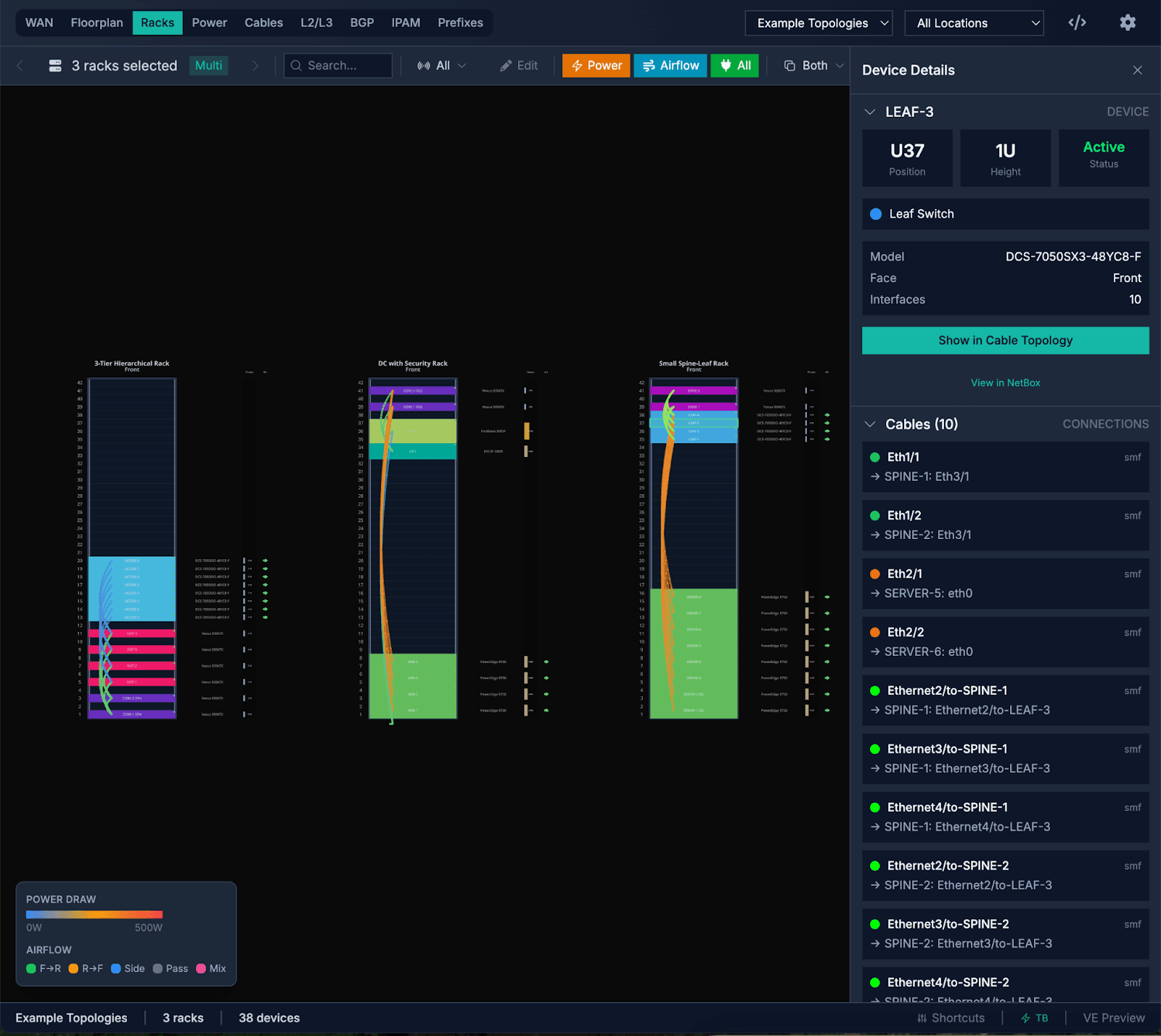
Rack elevation gives you a detailed view of individual racks – or lets you compare racks side by side. See devices in context, front and rear, with role-based coloring. In edit mode, you can drag devices to reposition them and save changes directly back to NetBox.
The power chain view traces your power distribution from panels through feeds to individual devices. You can spot redundancy gaps and single points of failure at a glance – the kind of thing that’s genuinely difficult to reason about from a table of power outlets.
Your Network, Visually
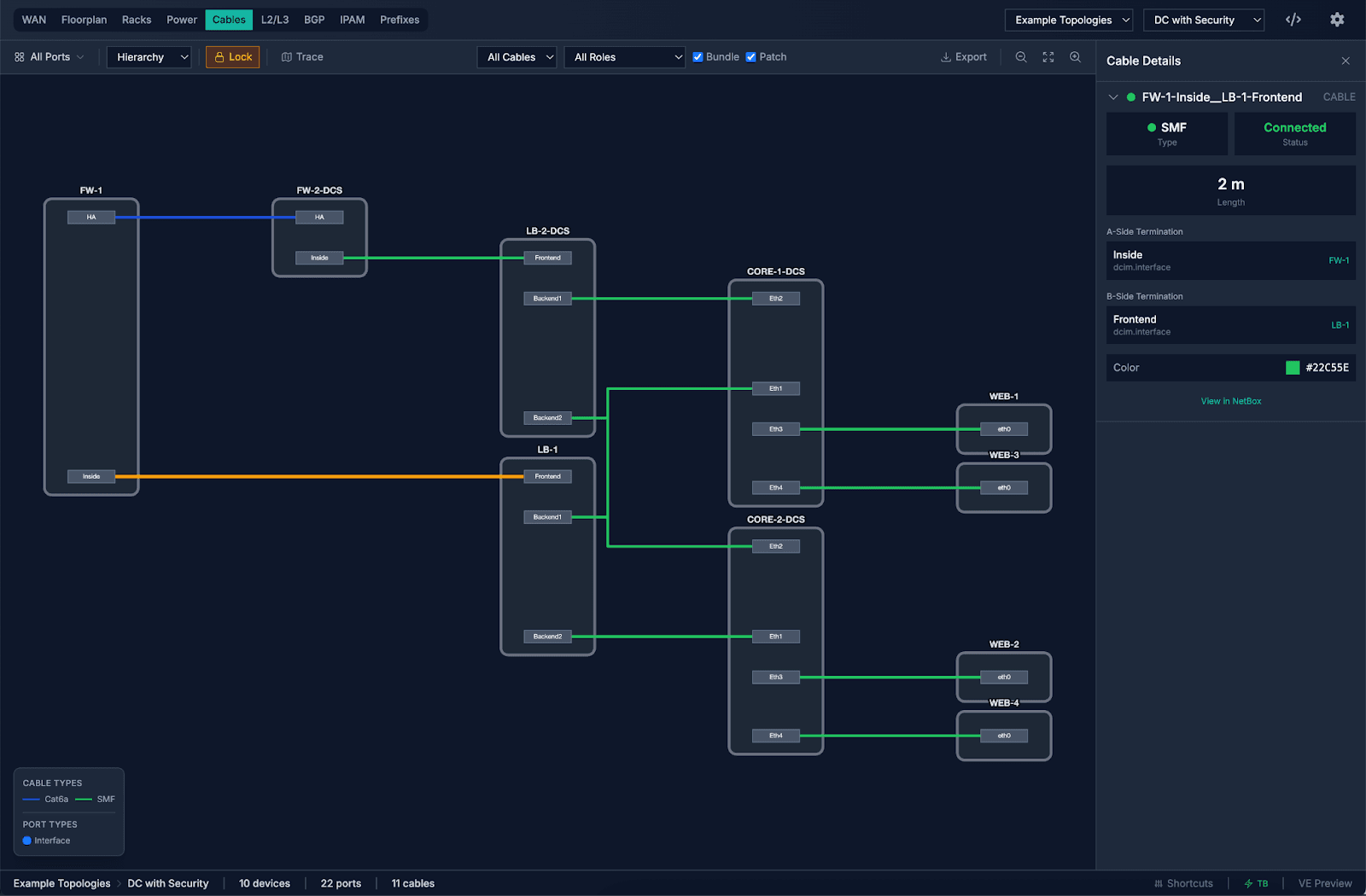
Cable topology gives you interactive graphs of port-level cable connections. Trace a cable from source to destination with path highlighting. For large networks, auto-aggregation keeps things navigable – you’re not staring at a hairball of ten thousand connections.
The IPAM visualization renders your IP address space as a sunburst or heatmap. Drill into prefixes, spot congested subnets, filter by address family or VRF. It turns IP address management from a spreadsheet exercise into something you can actually reason about visually.
The WAN geo map plots your sites on a world map with circuit arcs showing connectivity. Filter by provider, circuit type, or tenant. Dependency and BGP views round out the network picture, showing you relationships and peering sessions that are otherwise buried in configuration.
The Bigger Picture
If you’ve been following along with what we’ve been building at NetBox Labs, you’ll notice a pattern. A few weeks ago we announced general availability of NetBox Copilot – our AI assistant for infrastructure management – including the ability to write changes back to NetBox. Today we’re announcing Visual Explorer. These aren’t unrelated efforts.
Here’s how we think about it. As agentic AI becomes a real part of infrastructure operations, the data in your NetBox instance is increasingly critical. We’re investing in both directions at once.
On one side, there’s the agent experience – enabling AI-assisted infrastructure management through our MCP server, Copilot, and the growing ecosystem of tools that read and write NetBox data. Copilot and agents will increasingly handle the tactical: update these 50 device descriptions, show me everything on this subnet, set up this new branch office.
On the other side, there’s the operator experience – enabling the higher-order planning and decision-making that human operators do best. Visual Explorer is the centerpiece of that investment. Show me the power redundancy across this floor. Where should we place the next row of racks? What does our WAN topology actually look like?
These aren’t competing. They’re complementary. The common thread is making infrastructure data not just accurate, but actionable – whether the actor is an AI agent or a human operator.
Customer Preview – Get Hands On
Visual Explorer is available now as a customer preview for NetBox Cloud customers. Reach out to your customer success representative or contact us to get it enabled on your account.
We’re building Visual Explorer with our customers, not just for them. We want your feedback on what’s working, what views matter most to your workflows, and where we should invest next. NetBox Enterprise support is coming soon.
If you’ve ever wished you could just look at your infrastructure instead of reading about it in a table – this is what we’ve been building.