Technology Review: Multi-Node High Availability in NetBox Enterprise
When NetBox becomes the central source of truth for network infrastructure, it becomes mission-critical. Organizations relying on NetBox for automation workflows, integration orchestration, and operational decision-making can’t afford downtime. A server failure that takes NetBox offline halts change management, blocks provisioning, and leaves teams without the data they need.
NetBox Cloud customers don’t need to think about any of this – we handle high availability, scaling, and resilience transparently. But for organizations that need to run NetBox in their own environment due to regulatory requirements, policy constraints, or other considerations, NetBox Enterprise offers multi-node deployment to address these same needs.
We’ve supported multi-node clusters in NetBox Enterprise for a while now, and recent improvements have made setup and management even more straightforward. Here’s a look at what multi-node brings to the table and how it works.
What Multi-Node Brings to the Table
NetBox Enterprise’s multi-node deployment distributes the application across multiple servers in an active-active configuration. Unlike traditional hot-standby approaches where backup servers sit idle, every node in a multi-node cluster actively serves traffic.
The benefits go beyond simple redundancy:
- Automatic failover: When a node fails, traffic routes to healthy nodes without manual intervention
- Zero-downtime maintenance: Apply updates, replace hardware, or perform system maintenance without taking NetBox offline
- Horizontal scaling: Add nodes to distribute load as usage grows
- Geographic distribution: Place nodes in different data centers for disaster recovery scenarios
Multi-node deployment is available as an add-on for NetBox Enterprise Premium, supporting up to three nodes with options for additional nodes based on requirements.
Setting Up a Multi-Node Cluster
The deployment process builds on a standard NetBox Enterprise installation. The only additional requirement is S3-compatible storage (AWS S3, DigitalOcean Spaces, MinIO, etc.) that will be shared across nodes.
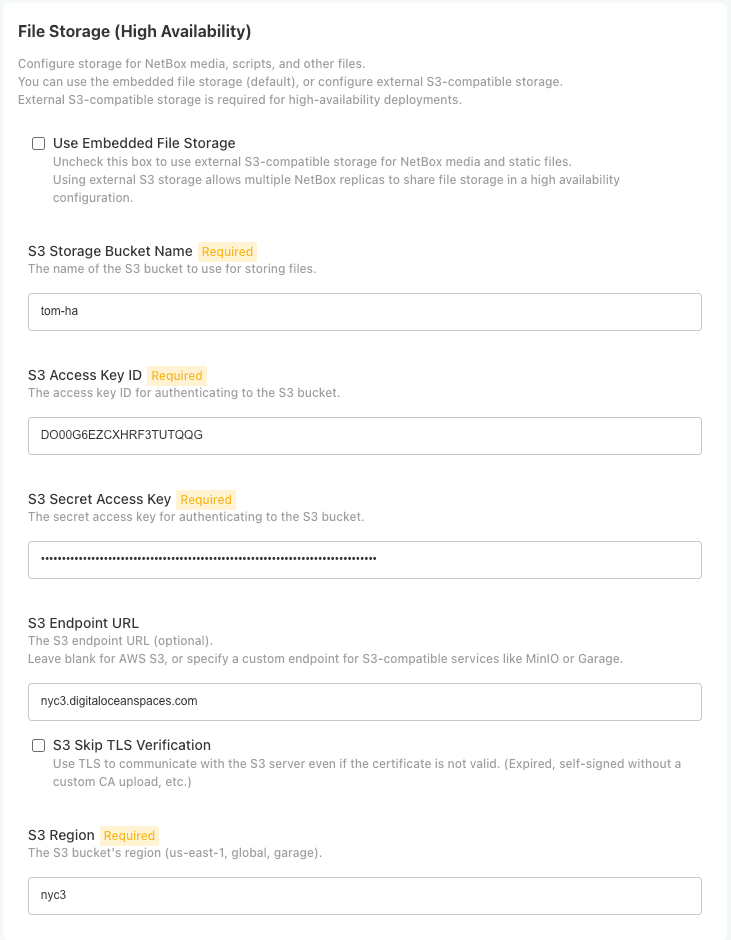
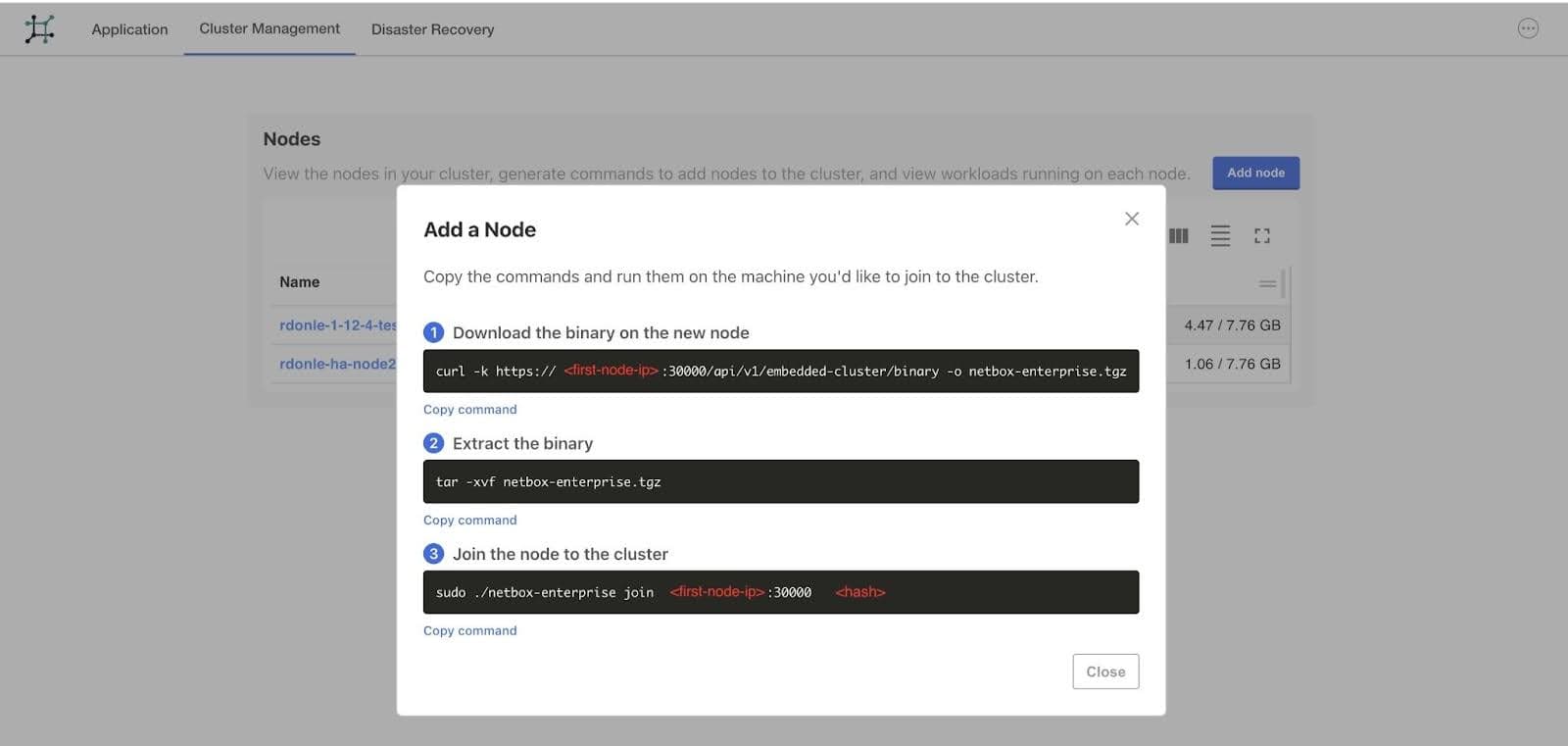
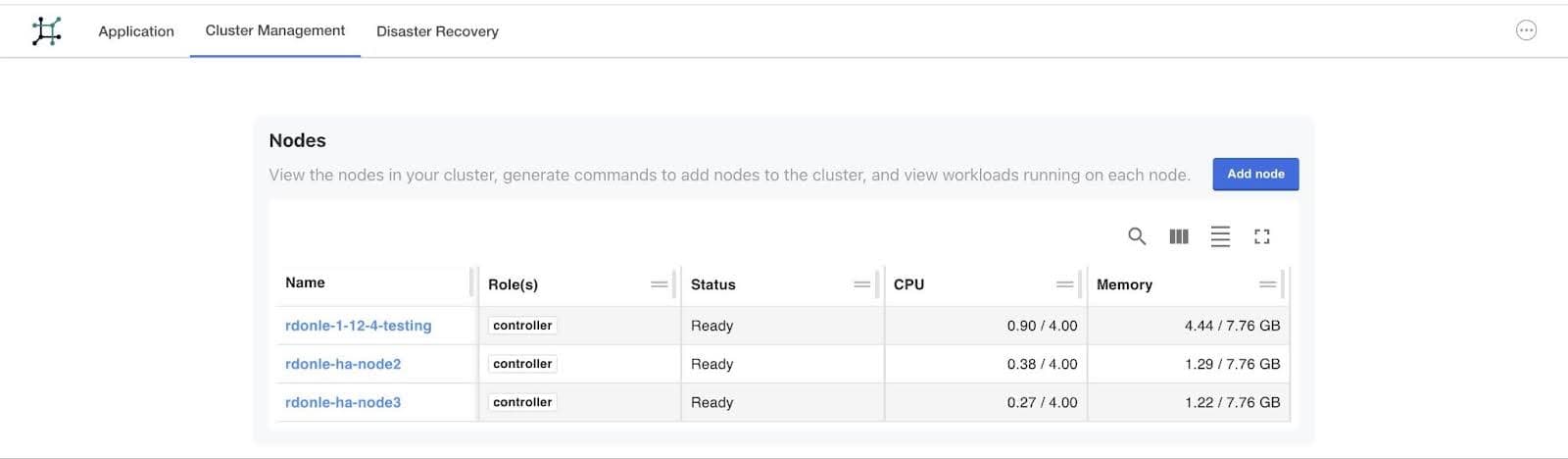
Once your first node is running, the Admin Console makes it easy to expand. Navigate to Cluster Management, click Add Node, and you’ll get the commands to run on each new server:
After your nodes join, enable high availability:
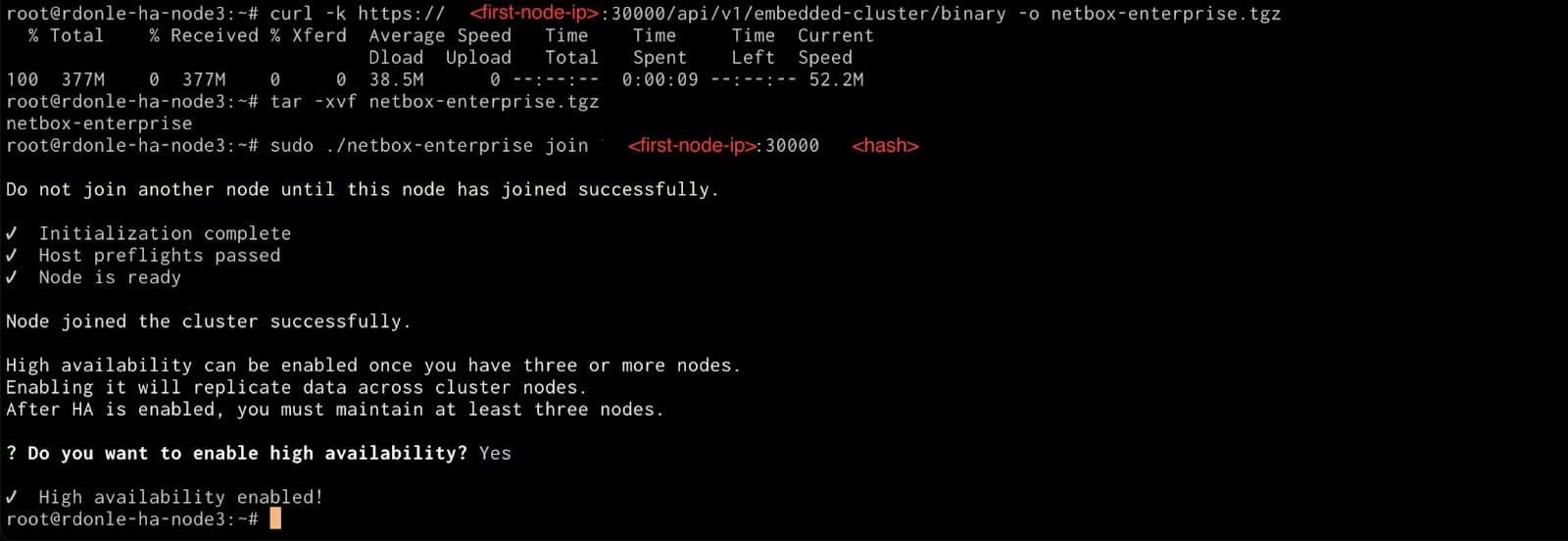
That’s it. The cluster automatically distributes NetBox workloads across all available nodes, with Kubernetes handling pod placement, health checks, and traffic routing.
Under the Hood
NetBox Enterprise uses Kubernetes to distribute pods across nodes so that application components don’t all land on the same server. When a node becomes unavailable, Kubernetes reschedules pods on healthy nodes – typically within 30 seconds. Users might see a brief retry, but the service stays up.
For disaster recovery, multi-node deployments follow the same backup and restore procedures as single-node installations. The backup captures complete cluster state, and restoration prompts you to rejoin additional nodes to rebuild the topology.
Production Considerations
Multi-node provides high availability for the NetBox application layer. For complete fault tolerance in production, you’ll also want to consider external managed database services (PostgreSQL with replication, Redis with sentinel mode), load balancers that health-check individual nodes, and TLS certificates that work across all nodes.
The NetBox Labs team works closely with customers on deployment architecture to ensure HA setups are solid for each environment.
Getting Started
If you need to run NetBox on-prem and reliability matters, multi-node deployment is worth evaluating. The combination of automatic failover, zero-downtime maintenance, and horizontal scaling provides the resilience that mission-critical systems require – and you don’t need deep Kubernetes expertise to set it up.
We’re here to help. Contact our team to learn more about NetBox Enterprise.