Upgrading NetBox Enterprise on Embedded Cluster
Upgrade an Embedded Cluster install of NetBox Enterprise to 2.5.0: prepare, back up, upgrade, and confirm it finished.
This guide covers upgrading from 2.4.x to 2.5.0. Coming from 2.3.0 or earlier, see Coming from an older version. For Helm installs, see Upgrading.
There is no rollback button. Your backup is the only way back.
What changes in 2.5.0
| If you... | Then | When |
|---|---|---|
Use the NetBox Healthcheck plugin with custom checks | Fix old check names, or NetBox will not start. Details | Before |
| Have no NetBox Assurance license | Allow extra time. Diode rebuilds an index before it processes data. | Before |
| Chose the Unlimited NetBox resources preset | NetBox loses its CPU and memory limits. Pick Large to keep a limit. | Before or after |
| Have webhooks whose CA File Path points to one of your private CAs | Change it to /run/ca-bundle/ca-certificates.crt. | After |
| Created API tokens with background bulk requests | Replace those tokens. Details | After |
| Bookmark netbox-lifecycle pages | Update the bookmarks. The page paths changed. | After |
Also new: the identity stack stays off until you turn it on. Full list: 2.5.0 Upgrade Notes.
1. Prepare
Coming from 2.3.0? Do the checks in Coming from 2.3.0 first.
Every install
- One node has 4Gi of allocatable memory (9Gi if you will turn on the identity stack).
- Optional: let long-running background jobs, such as scripts, finish. Queued jobs are kept and run after the upgrade, but a job still running when its worker restarts is stopped after 60 seconds.
- You have done the Before items that apply to you in What changes in 2.5.0.
External PostgreSQL or Redis (no preflight checks these versions)
- PostgreSQL:
SELECT version();shows 15 or later, and the NetBox user can runCREATE EXTENSION ltree. - PostgreSQL with SSL mode
verify-caorverify-full: the CA certificate you uploaded still signs the server certificate. In 2.5.0 the operator checks it too, not only NetBox. - Redis:
INFO servershowsredis_version6.0 or later. - Turning on the identity stack: the NetBox user has
CREATEROLE. The Admin Console Config page shows the exact statements for this and for the Platform Authorization Server databases.
2. Back up
- Back up the database:
- Built-in PostgreSQL: take a PostgreSQL backup.
- External PostgreSQL: back up every database with your own tools: NetBox, Diode and Hydra, plus Copilot,
platform_authandplatform_auth_fgaif they are on. This copy is your only rollback for the data.
- Take a disaster recovery backup and wait for it to finish.
- Keep the installer for your current version. You need it to restore this backup.
- External S3: the disaster recovery backup does not include your bucket. Turn on bucket versioning or take a snapshot if you want a rollback point for media.
3. Upgrade
-
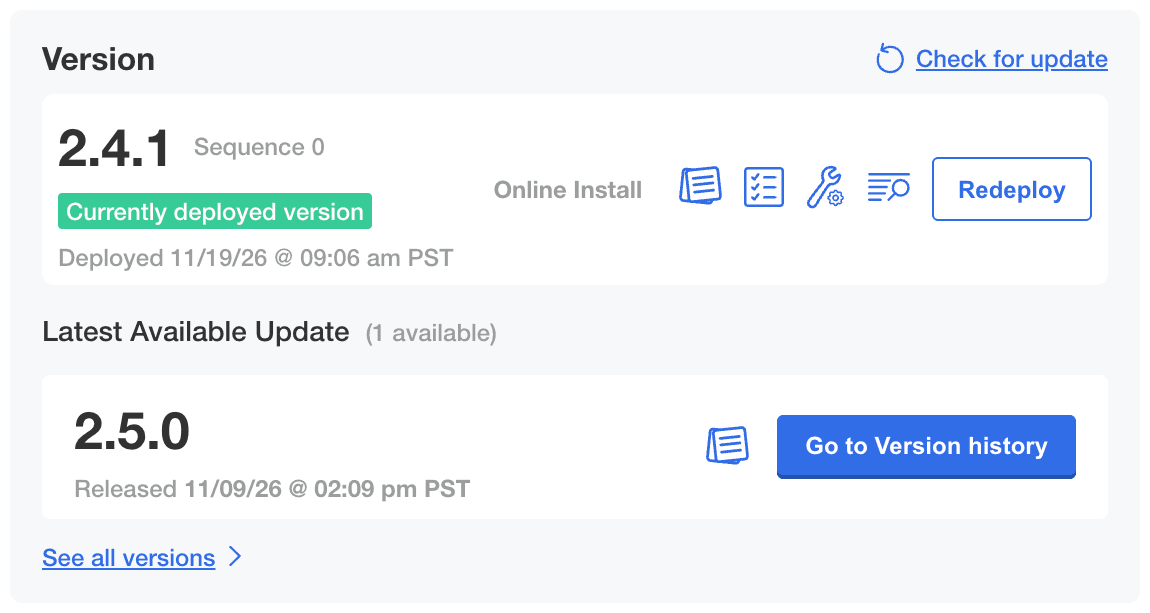
On the Admin Console Dashboard, click Check for update. When 2.5.0 appears, click Go to Version history.
-
Next to 2.5.0, click Deploy. A three-step upgrade window opens.

-
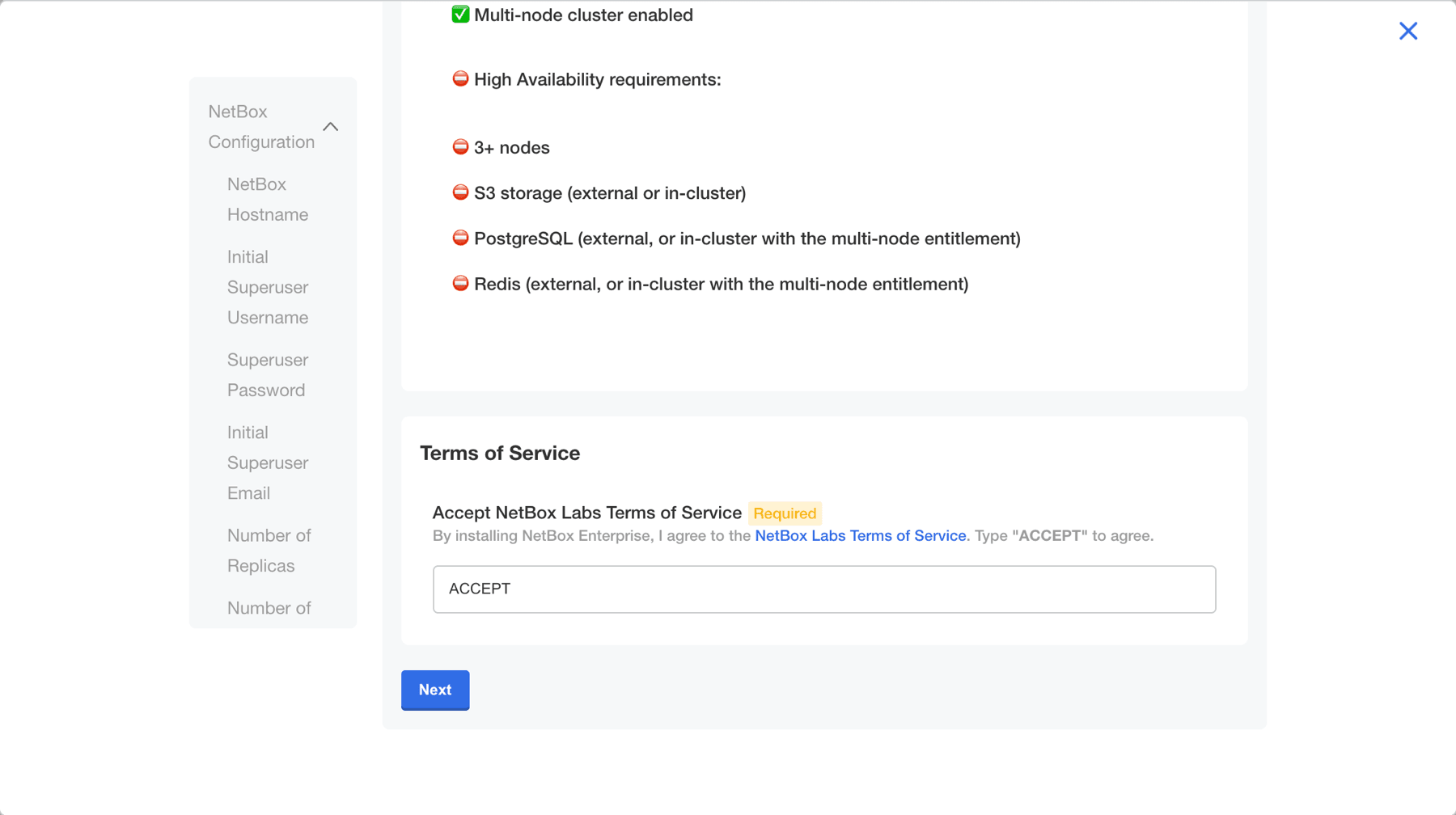
Config: your current settings carry over. The new 2.5.0 options, such as the identity provider, stay off. Scroll to the bottom and click Next.
-
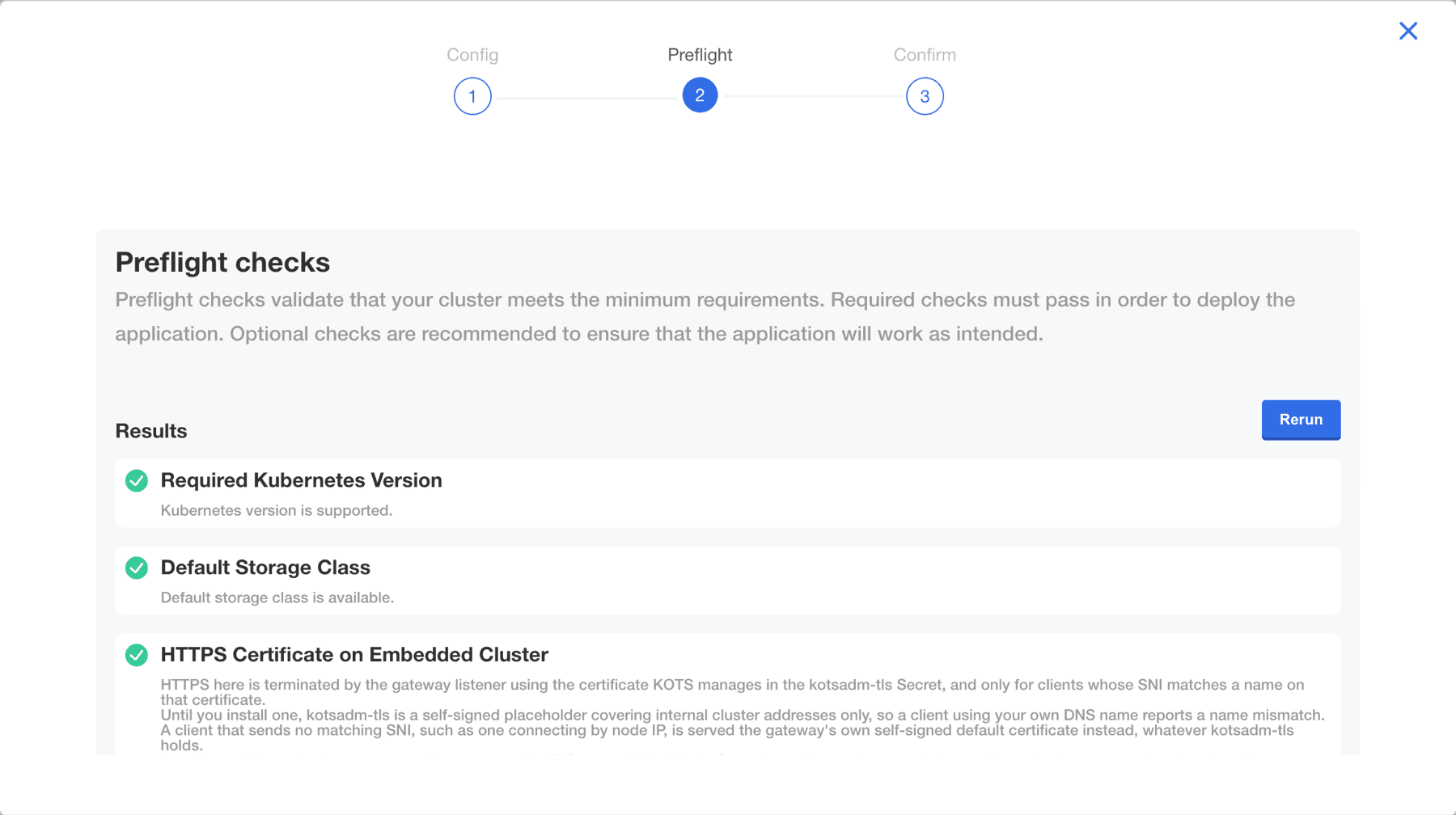
Preflight: wait for the checks to finish. Fix any that fail and click Rerun, then click Next: Confirm and deploy.
- External Redis that requires client certificates: if you did not upload the Redis CA certificate, or Skip TLS Verification is on, the Redis check cannot send the certificate and reports Redis as unreachable. Confirm NetBox reaches Redis, then continue.
-
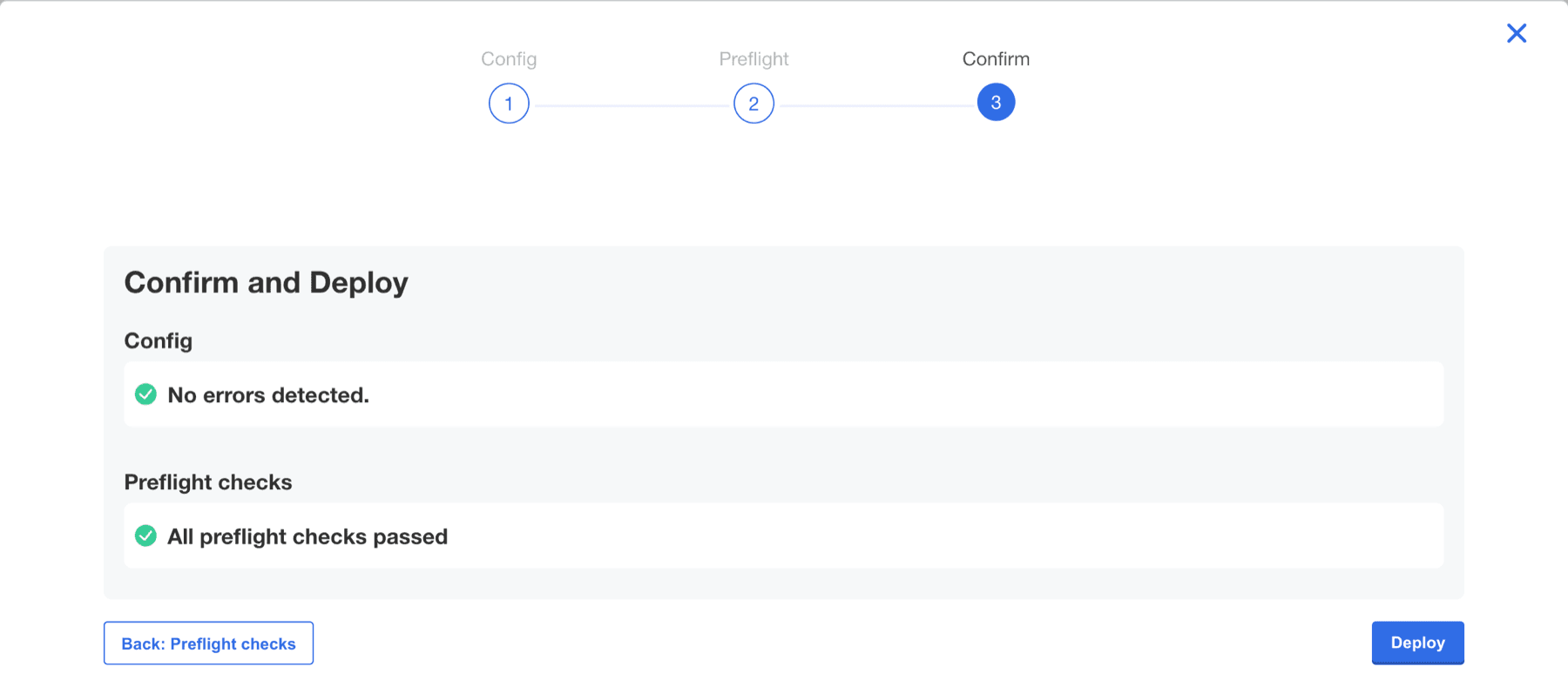
Confirm: click Deploy. NetBox is down while the database updates. In our test on a single node with built-in services and little data, NetBox was down for about 5 minutes and the whole deploy took about 7. Larger databases take longer.
Built-in PostgreSQL on the Medium, Large or Extra Large PostgreSQL Resources preset restarts once during the deploy, for about a second, because 2.5.0 sets its connection limit from the preset's memory. In our Medium test this happened about a minute in. The pod itself does not restart.
4. Confirm it finished
When the Dashboard shows 2.5.0 as the deployed version and the status is Ready, the upgrade is done.
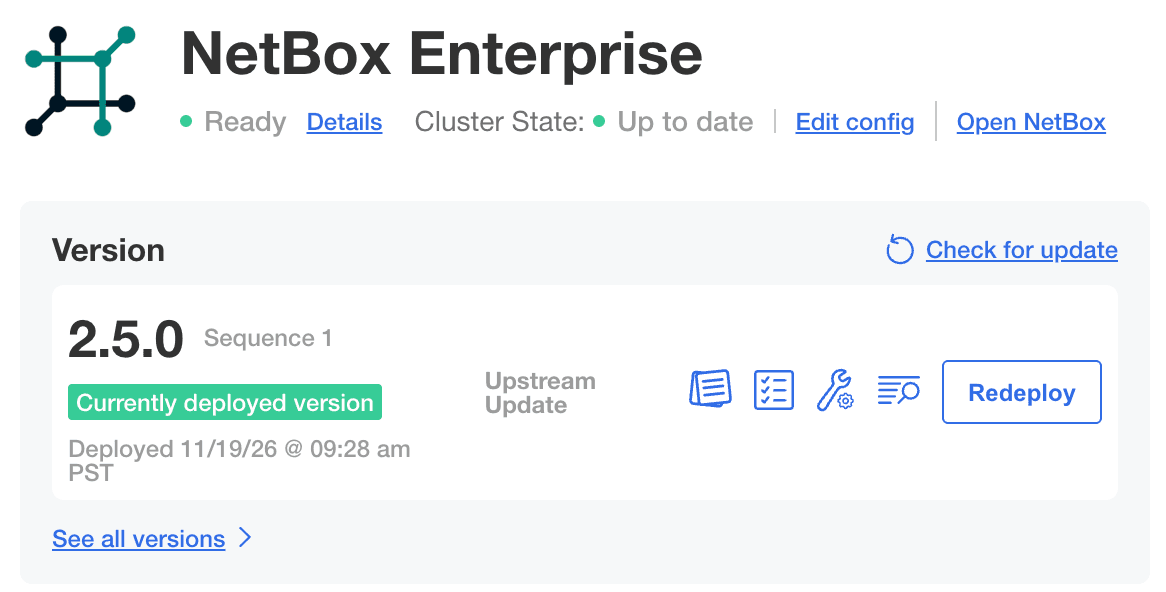
The Admin Console can say "done" a few minutes early. To be sure, check from a node:
sudo /var/lib/embedded-cluster/bin/netbox-enterprise shell

# The newest Job for each phase (p1, p2) shows Complete
kubectl get jobs -n kotsadm -l app.kubernetes.io/component=netbox-migrate

# Waits until NetBox has restarted
kubectl rollout status deployment/netbox-netbox -n kotsadm
A finished upgrade looks like this. Job names end in a short hash, and Jobs from earlier attempts can stay listed: only the newest Job for each phase must show Complete.
NAME                                STATUS     COMPLETIONS   DURATION   AGE
netbox-netbox-migrate-p1-576f0323   Complete   1/1           107s       5m4s
netbox-netbox-migrate-p2-56c78c49   Complete   1/1           40s        3m11s
deployment "netbox-netbox" successfully rolled out
Then take a new database backup and disaster recovery backup, and keep the 2.5.0 installer with them.
If it stalls, send a support bundle. Coming from 2.3.0, see Coming from 2.3.0 first.
Roll back
Contact Customer Support first. You lose changes made since your backup.
Built-in PostgreSQL: restore your disaster recovery backup on a clean host, with your old installer.
External PostgreSQL:
-
Power off the 2.5.0 node or nodes, so nothing writes to the databases. In
pg_stat_activity, confirm their connections are gone. -
Restore each database from the copy you took in step 2: drop it, re-create it with the same owner, then load your copy (for example with
pg_restore). Run the restore as a user that can read the copy's files. -
If your disaster recovery backup is stored in S3 behind a private CA, add that CA to the clean host's trust store. The restore command has no option for it.
sudo cp ca.crt /usr/local/share/ca-certificates/ sudo update-ca-certificates -
On the clean host, restore your disaster recovery backup with your old installer.
-
Confirm the Admin Console shows your earlier version as Ready and your data is back.
Coming from an older version
Coming from 2.3.0
This upgrade also moves Kubernetes from 1.34 to 1.35. Before you start, on every node:
-
stat -fc %T /sys/fs/cgroup/printscgroup2fs. If not, enable cgroup v2. -
nft list rulesetdoes not showKUBE-IPTABLES-HINTwithout anycali-chain. If it does, contact Customer Support.
If the upgrade stalls, see Upgrade to 2.4 does not complete. It covers the same Kubernetes move.
Older than 2.3.0
Upgrade to 2.3.0 first, then to 2.5.0.
NetBox Enterprise Multi-Node Deployment
NetBox Enterprise Multi-Node enables high-availability (HA) deployments by distributing NetBox across multiple servers in an active-active configuration. Thi...
Migrating to NetBox Enterprise
Migrating from NetBox open source to NetBox Labs Enterprise is a simple and efficient process. Because NetBox Enterprise is built on the same open source pla...