NetBox Cloud Plugins
From within the NetBox Labs Console, you can view installed Plugins for a specific NetBox instance in addition to their Scope and Version.
-
From within the NetBox Labs Console click on the Settings icon the top left of the NetBox instance to view its installed Plugins.
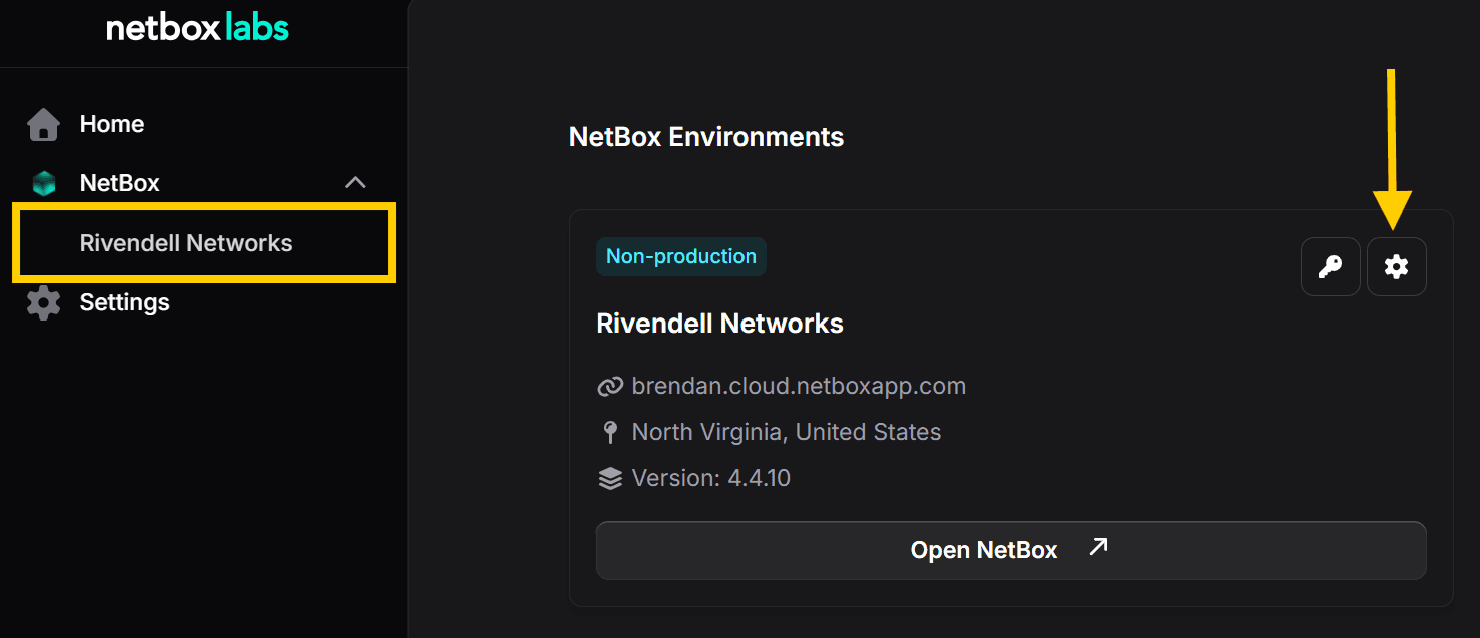
-
Here you can view the list of installed Plugins, their scopes and version numbers:
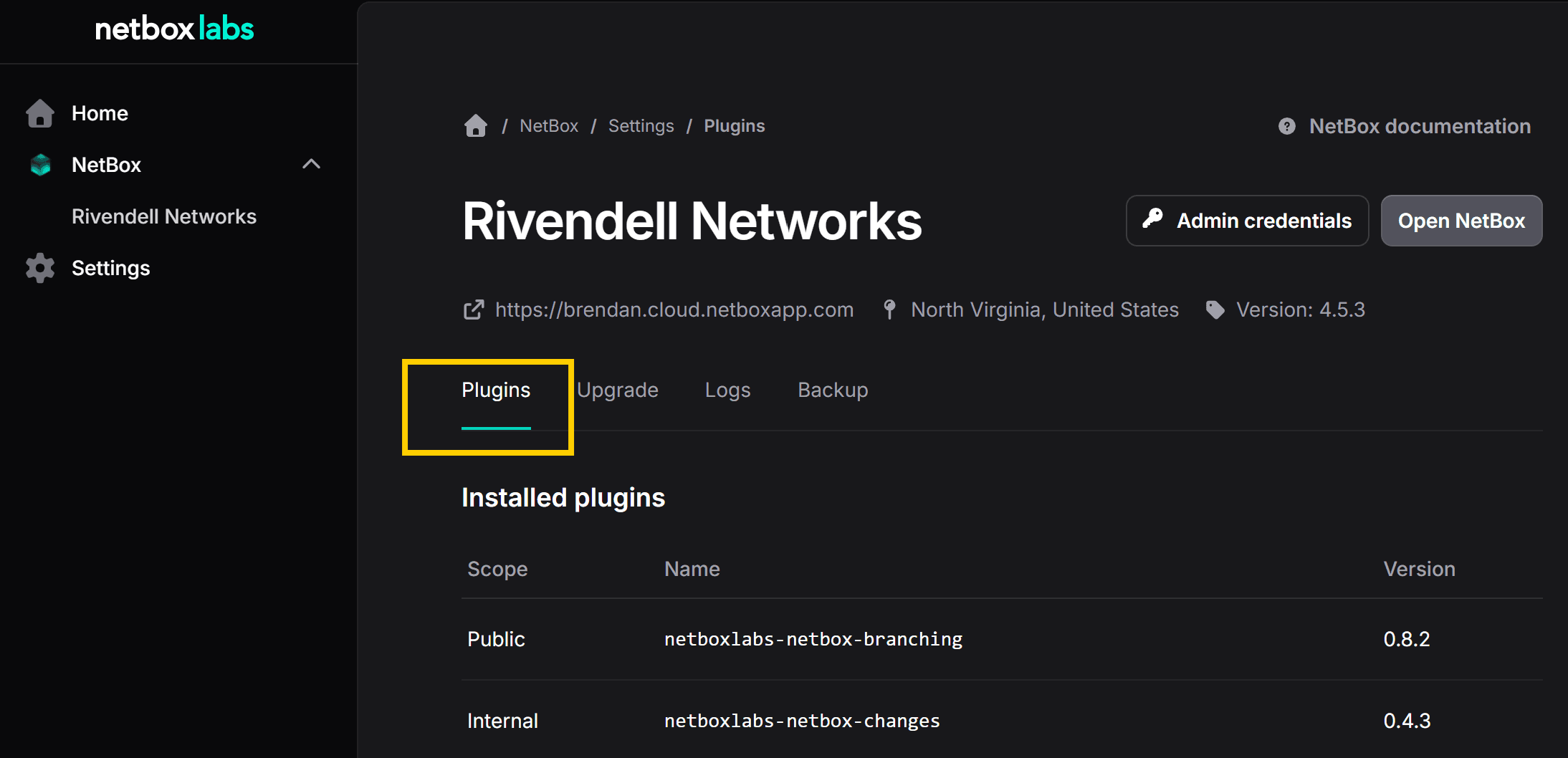
!!! info There are two types of plugin scope - Public for any plugins that are publicly available and Internal for custom plugins.
NetBox Cloud Hostnames
1. From within the NetBox Labs Console click on Settings and then navigate to the Hostnames tab.
Group Mapping For Okta Single Sign-On (SSO)
Upgrade your Single Sign-On experience with Group Mapping for Okta SSO – a smarter, more secure way to manage user access. The Group Mapping feature for Okta...