This tutorial walks you through your first validation -- from installing a policy pack to reviewing compliance scores. You'll have a working validation pipeline in minutes.
Note: Administrative tasks like configuring policies, rules, and scoping are done within NetBox itself. Day-to-day usage -- reviewing results, managing findings, and monitoring compliance -- is accessible via the NetBox Labs platform in a streamlined experience.
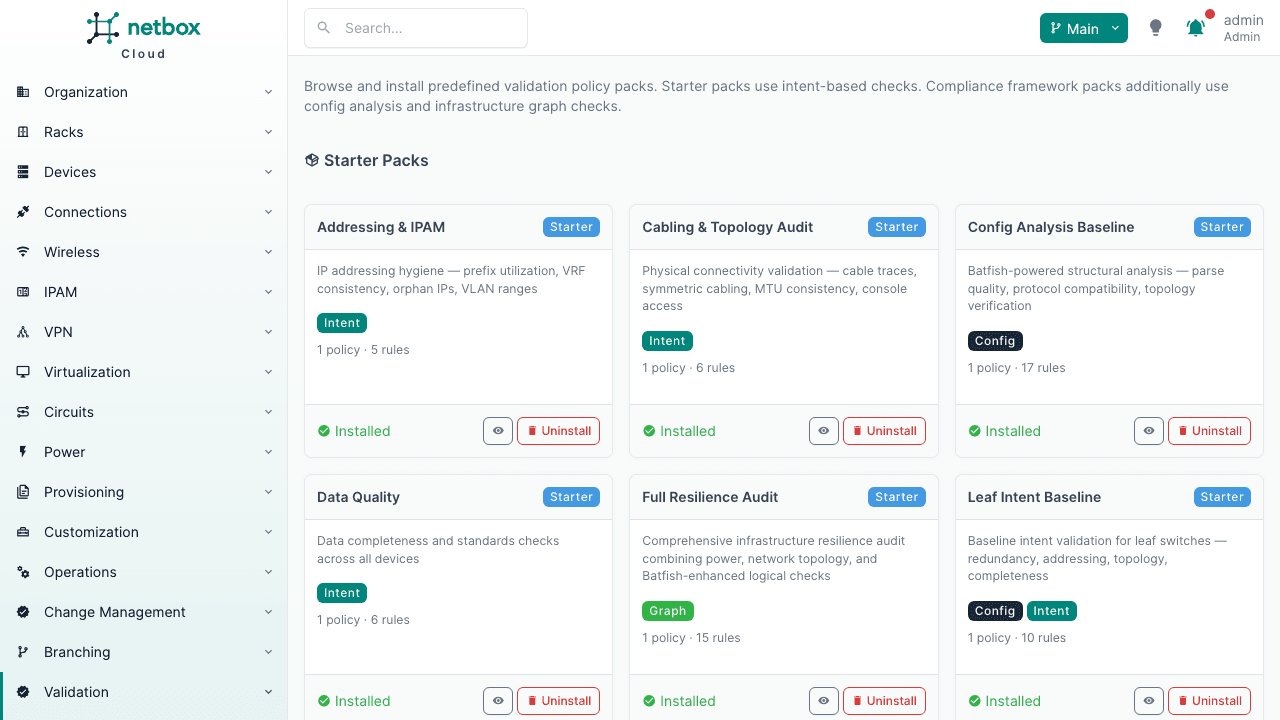
The fastest way to get started is to install a pre-built policy pack. In NetBox, navigate to Validation > Policy Packs in the sidebar.
Browse the available packs. For your first validation, Addressing & IPAM or Data Quality are good starting points -- they use the intent engine (no additional infrastructure required) and produce meaningful results on most datasets.
Click Install next to a pack. This creates a policy with all its rules in one step.
Via API:
# List available packscurl https://your-netbox/api/plugins/validation/policy-packs/ \ -H "Authorization: Bearer $NETBOX_TOKEN"# Install a packcurl -X POST https://your-netbox/api/plugins/validation/policy-packs/addressing-ipam/install/ \ -H "Authorization: Bearer $NETBOX_TOKEN"
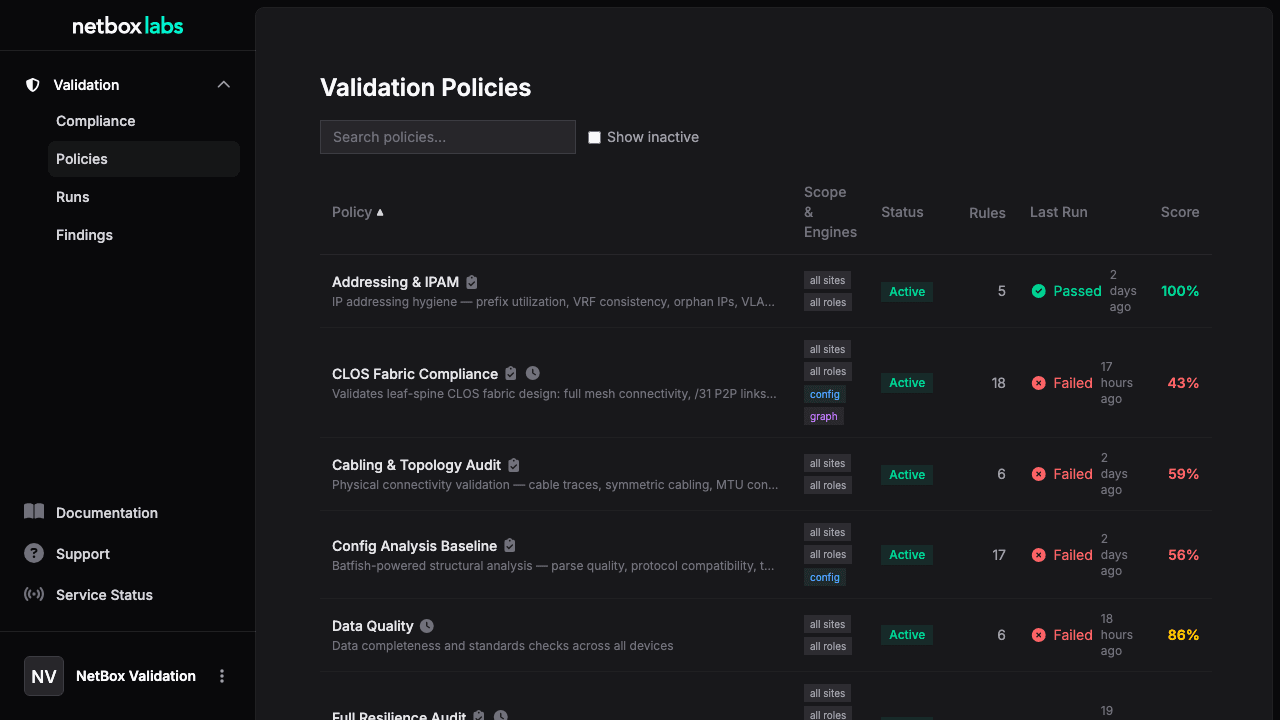
After installation, navigate to Validation > Policies in the NetBox Labs platform to see your new policy.
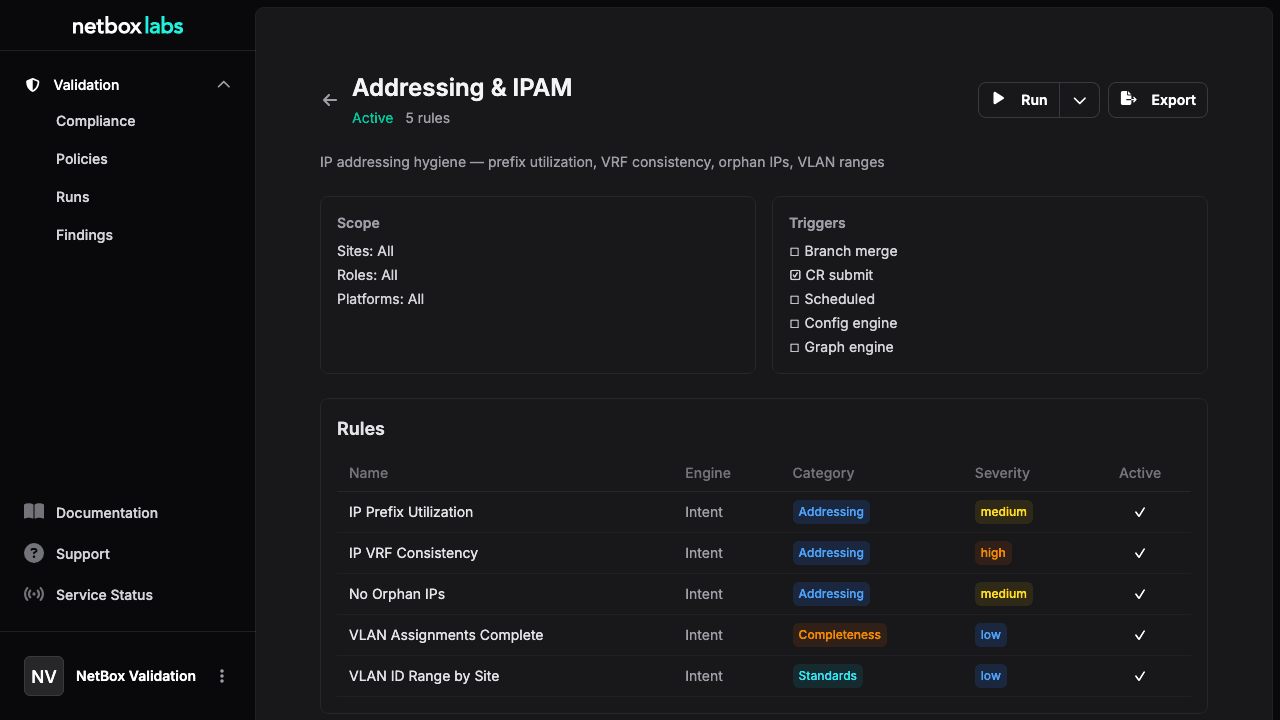
Click into the policy to see its rules, scope, and configuration. By default, installed packs are scoped to all sites and all roles -- you can narrow the scope from the policy detail page in NetBox.
Each rule shows its engine, category, check name, severity, and any custom parameters.
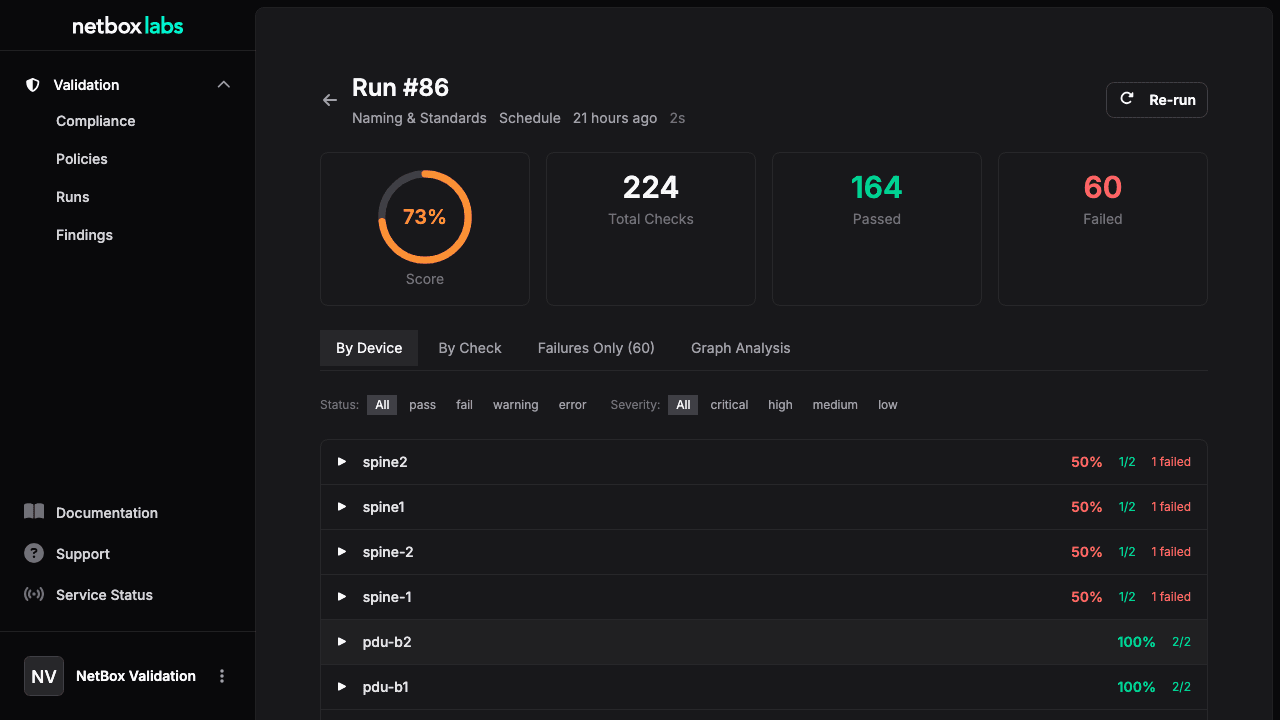
From the policy detail page in NetBox, click Run Now. This enqueues a validation run via the background task queue and redirects you to the run detail page.
You can also trigger a run from the policy list in the NetBox Labs platform -- each policy row shows a Re-run action.
Via API:
# Create a runcurl -X POST https://your-netbox/api/plugins/validation/runs/ \ -H "Authorization: Bearer $NETBOX_TOKEN" \ -H "Content-Type: application/json" \ -d '{"policy": 1, "trigger": "manual"}'# Execute it (runs complete in seconds -- no device polling)curl -X POST https://your-netbox/api/plugins/validation/runs/1/execute/ \ -H "Authorization: Bearer $NETBOX_TOKEN"
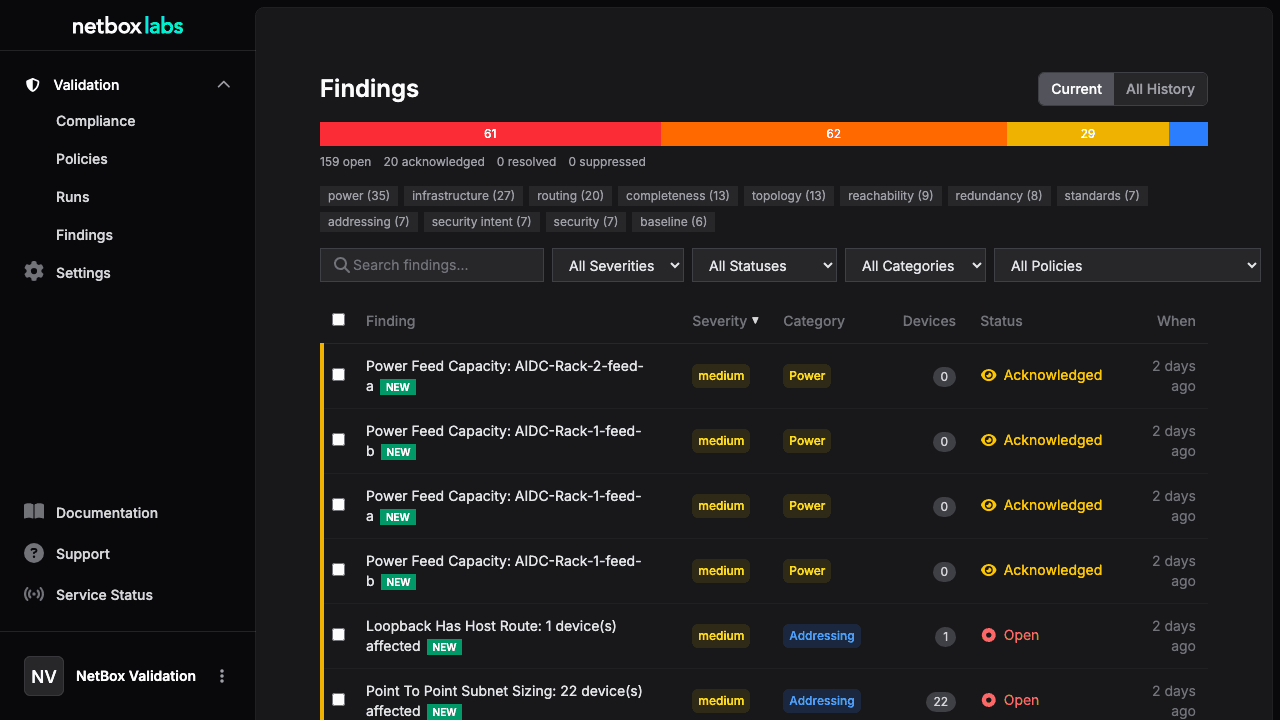
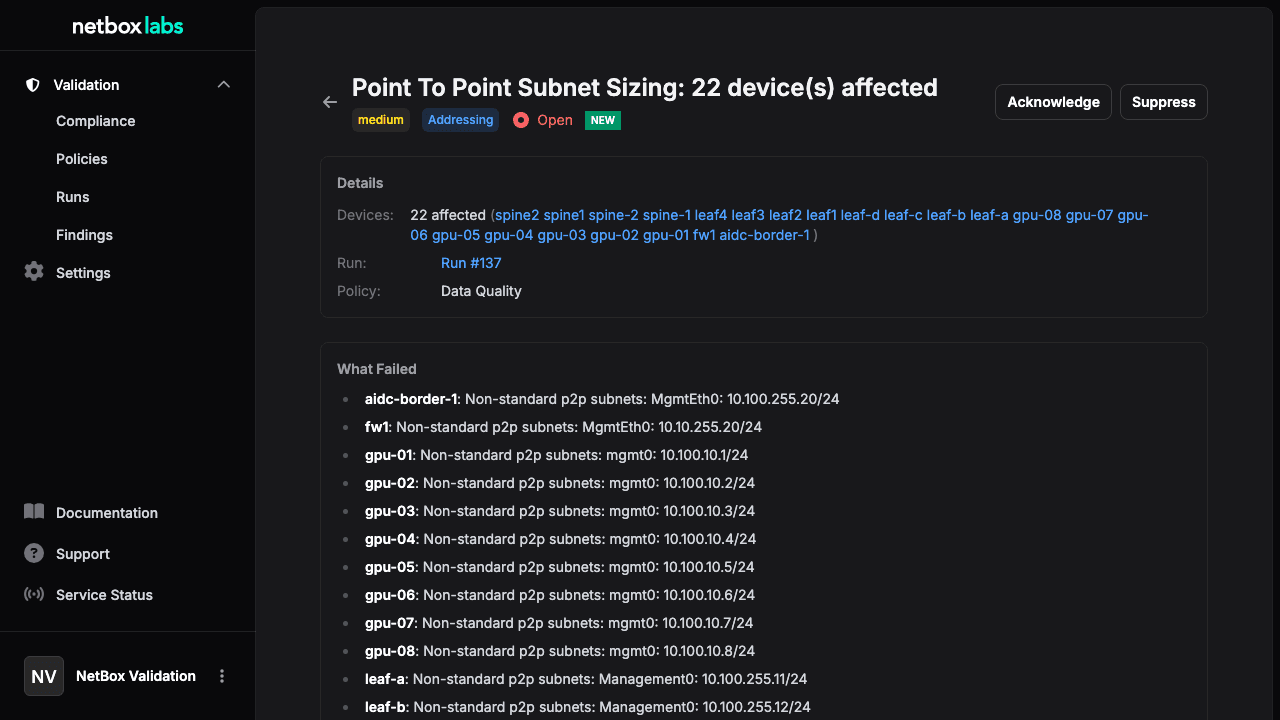
Navigate to Findings in the NetBox Labs platform to see aggregated failures. Findings group related check failures into actionable items -- instead of seeing the same failure repeated for 10 devices, you see one finding that lists all affected devices.
The findings list defaults to the Current view, which shows only findings from the latest run of each policy. This filters out historical duplicates so you see each unique issue once. Switch to All History to see findings from every run.
Use the search bar to filter findings by title, description, or remediation text. Findings that appeared for the first time are marked with a NEW badge to help you spot emerging issues.
Click into a finding for details, including affected devices and remediation guidance. You can change finding status (open > acknowledged > resolved or suppressed) to track your triage workflow.
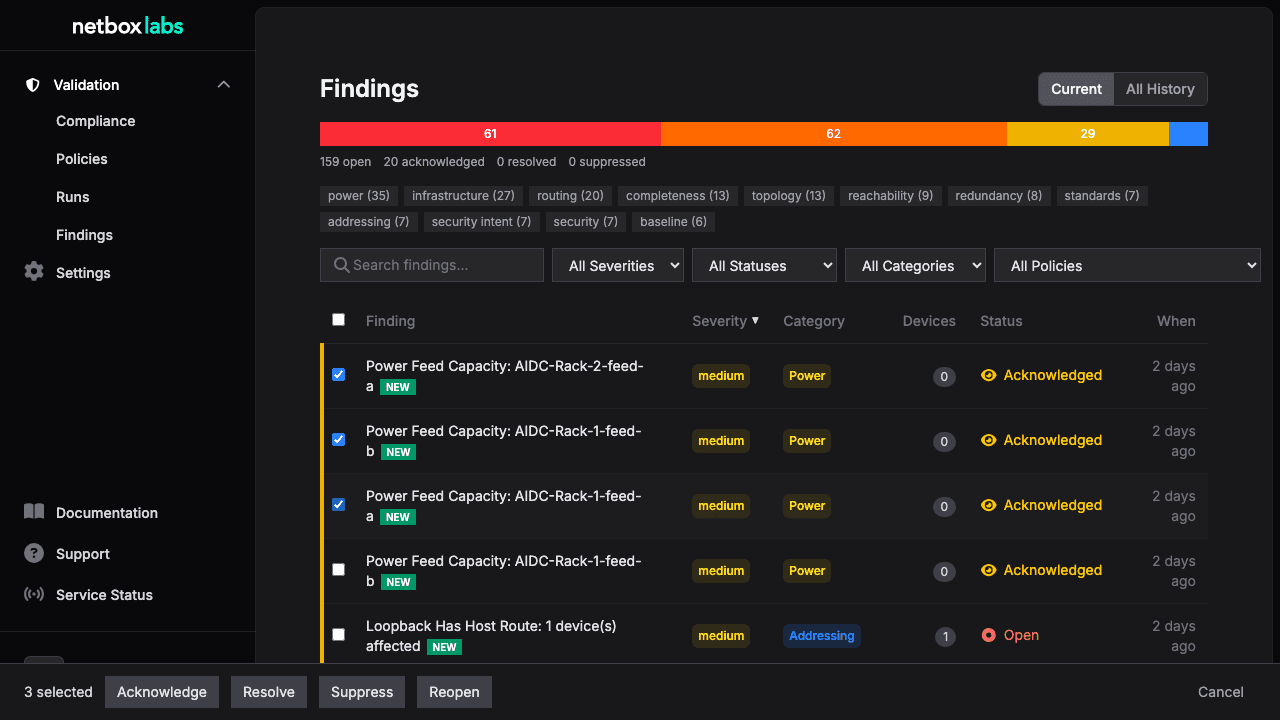
To manage multiple findings at once, use the checkboxes to select findings and the bulk action bar to change their status in batch.
Via API:
# Current findings (latest run per policy)curl "https://your-netbox/api/plugins/validation/findings/?latest=true" \ -H "Authorization: Bearer $NETBOX_TOKEN"# Search findingscurl "https://your-netbox/api/plugins/validation/findings/?latest=true&q=cable" \ -H "Authorization: Bearer $NETBOX_TOKEN"
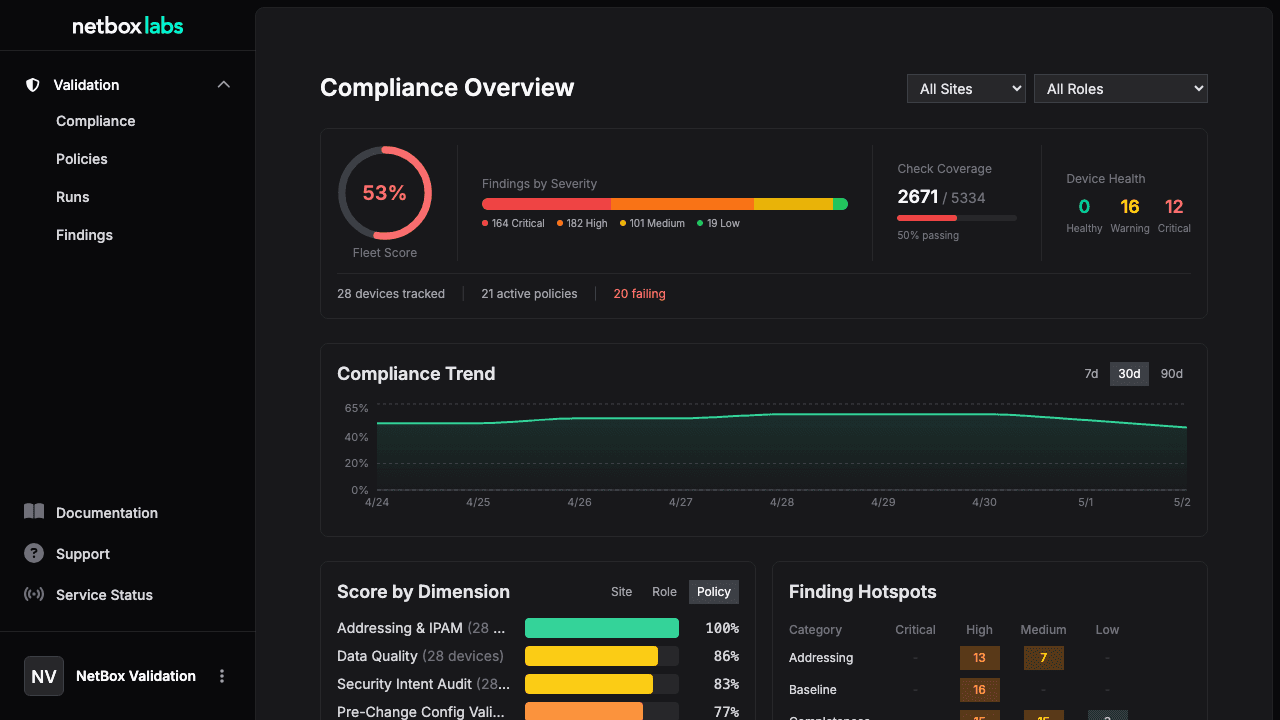
Navigate to Compliance in the NetBox Labs platform to see the compliance dashboard. This shows:
Fleet score -- overall compliance percentage across all policies and devices
Compliance trend -- how scores are changing over time
Score by dimension -- breakdown by site, role, or policy
Finding hotspots -- which categories have the most findings
Use the site and role filters to focus on specific segments of your infrastructure.
Via API:
# Get compliance scores for a specific devicecurl "https://your-netbox/api/plugins/validation/compliance/?device_id=10" \ -H "Authorization: Bearer $NETBOX_TOKEN"