Review and resolve deviations
Filter the deviation queue, review what would change in NetBox, and apply, ignore, or recalculate deviations from the NetBox Labs Console.
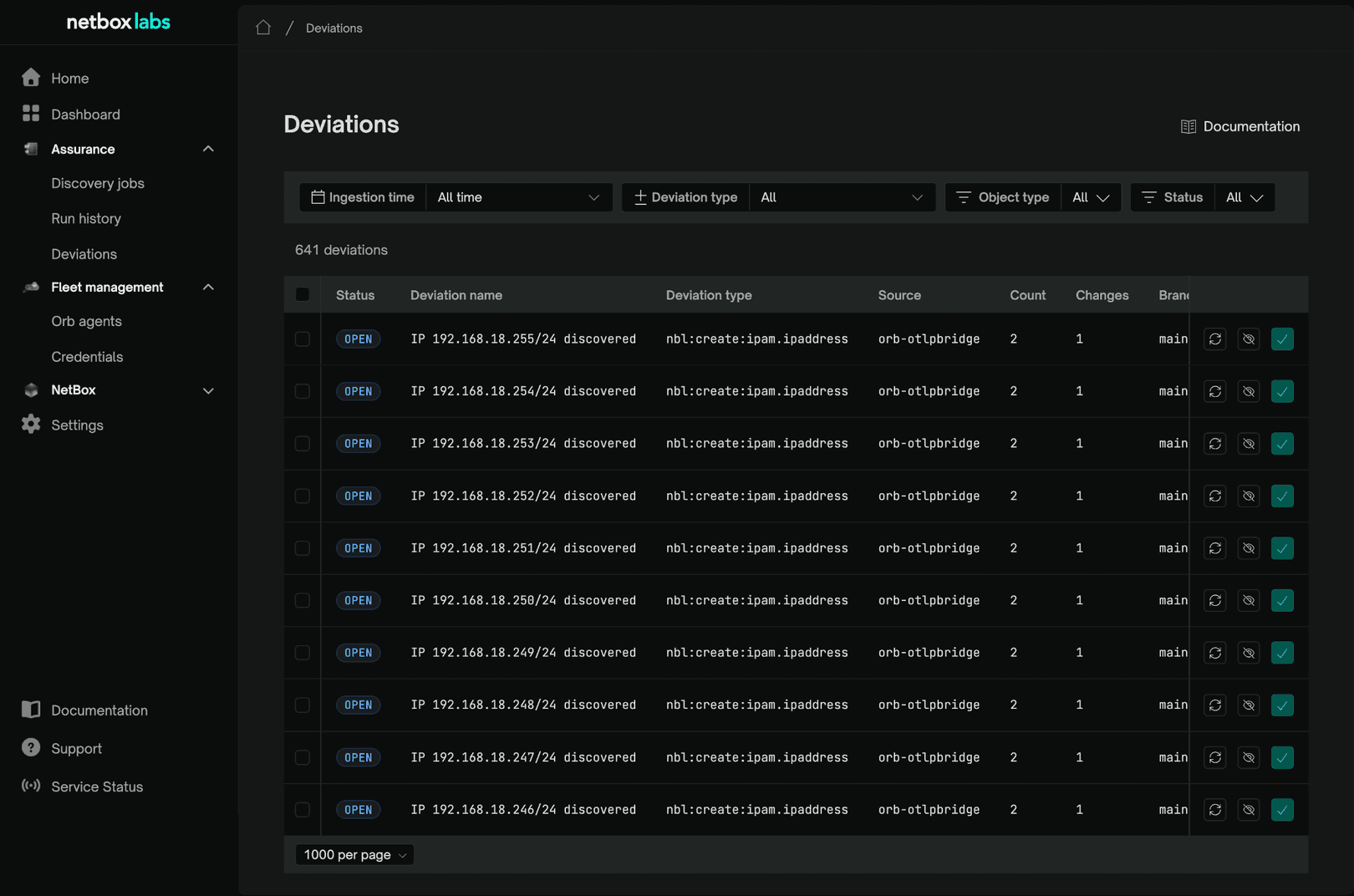
A deviation is a difference between what discovery observed on your network and what NetBox documents. Nothing reaches NetBox until you decide it should. This page covers finding the deviations that matter and acting on them, individually or in bulk, from Assurance → Deviations in the NetBox Labs Console.
Public Preview - Assurance in the NetBox Labs Console is in Public Preview for NetBox Cloud customers. Contact your account team to enable it for your organization.
Before you begin
- Deviations appear only after discovery has run. See Run Discovery jobs.
Find the deviations
- Go to Assurance → Deviations.
- Filter by Deviation type to focus on one kind of drift.
- Filter by Object type to focus on one kind of NetBox object, such as Device, Interface, or IP address.
- Filter by Status to separate work still to do from work already done.
- Filter by ingestion date to look at a particular window.
- Set the page size at the foot of the table. The default is 10 rows, and you can raise it as far as 1000.
Deviation statuses
| Status | What it means |
|---|---|
| Open | Detected and awaiting your decision. |
| Applying | Being written to NetBox now. |
| Applied | Written to NetBox. |
| Ignored | You chose to leave NetBox as it is. |
| Queued | Waiting to be processed. |
| Failed | NetBox rejected the write. The change set is kept and the deviation is retried, with a growing gap between attempts. |
| Errored | The change could not be worked out in the first place, for example because an object it refers to could not be resolved. A Failed deviation also ends up here once its retries run out. |
| No changes | Recalculated and found to match NetBox. |
Review a single deviation
Open any row to see the full picture before you act.
- Select a deviation to open its detail view.
- Read the summary to see which NetBox object is affected and how.
- Read the ingested data to see exactly what discovery reported.
- Read the per-change comparison. Each changed field shows its current NetBox value beside the observed value, so you can see what applying it would do. Related objects that are not changing stay neutral.
- Act from the detail view, or return to the list to handle it alongside others.
Actions taken on a single deviation run as soon as you select them.
Act on deviations in bulk
Three actions are available, on a single deviation or on a selection: Rediff, Ignore, and Apply.
- Filter the list down to a set you are confident about.
- Select the deviations you want.
- The toolbar shows the count as "N selected".
- Choose Apply, Ignore, or Rediff.
Apply writes the observed values to NetBox. In bulk it asks you to confirm, with the prompt "Apply deviations?", because it is the action that changes your source of truth. Apply is available for deviations with a status of Open.
Ignore leaves NetBox as it is and takes the deviation out of your queue. It runs immediately, with no confirmation.
Rediff recalculates a deviation against the current state of NetBox. It is the right action when NetBox has changed since the deviation was raised, and it answers the question "is this still drift?". Bulk rediff applies to deviations with a status of Open or Failed.
Where an action is unavailable for your selection, the button is disabled and its tooltip explains why.
What's next
Getting help
Contact your account team or NetBox Labs support.